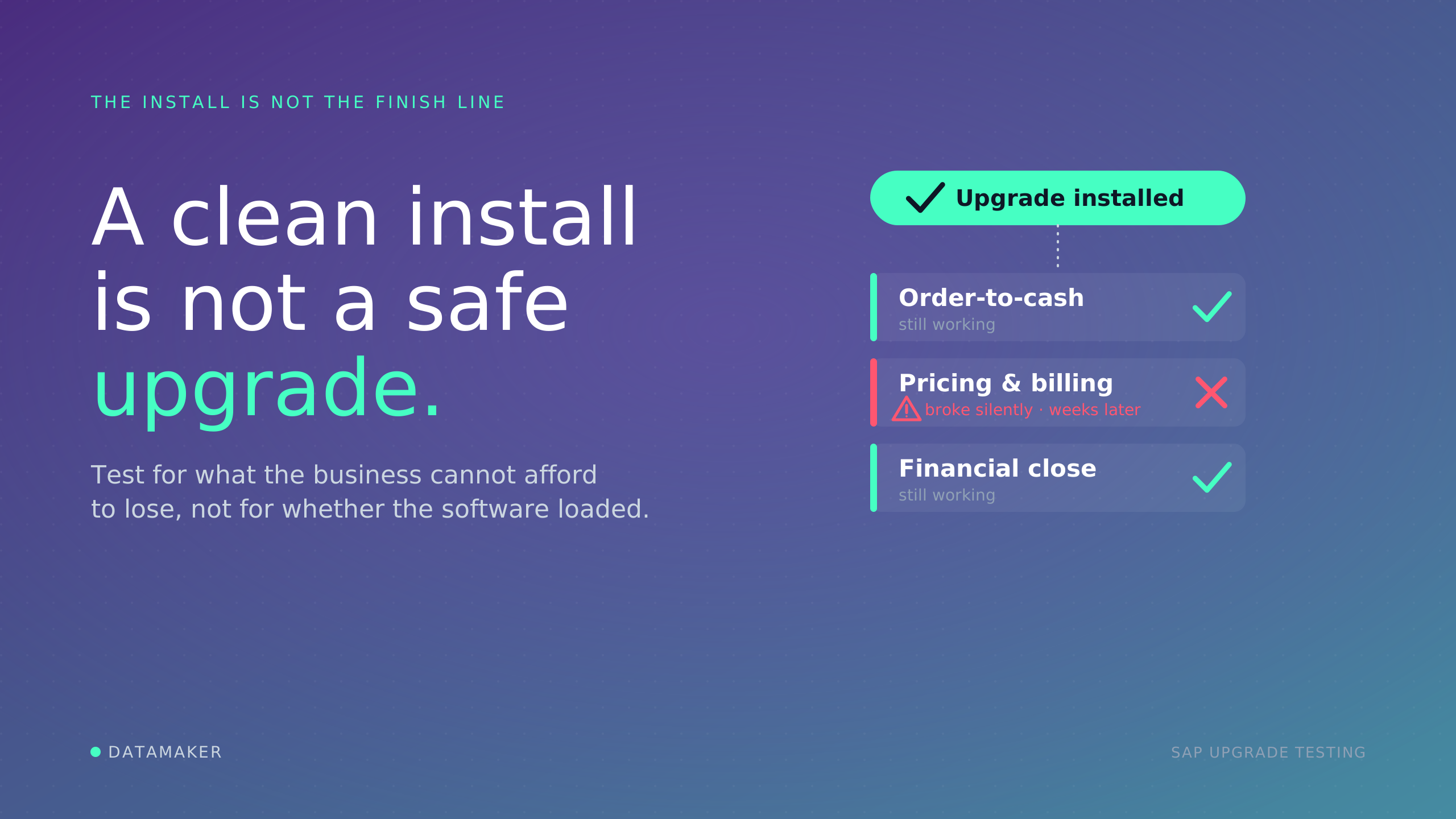
In 2018, Revlon turned on a new SAP S/4HANA system. The installation worked. The business did not.
Its North Carolina plant could not fulfill roughly $64 million in orders, the stock fell more than 6 percent, and shareholders sued. The technical upgrade succeeded. The business upgrade was a disaster. Reviews of the project keep landing on the same root cause: the system went live before anyone had proven the processes still worked.
That gap is the entire reason upgrade testing exists. When SAP ships a patch, a support package, an enhancement package, or a full S/4HANA upgrade, the change does not land in a clean system.
It lands in an environment your company has been customizing for ten or fifteen years. The real question is never "did the upgrade install." It is "did the upgrade silently break something the business runs on."
Patch testing and upgrade testing are not two different activities, either. They are the same discipline at different volumes.
Why a casual approach no longer works
Ten years ago, an SAP upgrade mostly affected SAP. The system was largely self-contained, the integrations were fewer, and a team could reason about the blast radius by staying inside its own modules.
That world is gone. A modern SAP upgrade can ripple into Fiori applications, REST and OData APIs, third-party platforms, cloud services, data pipelines, and the analytics dashboards executives read every morning. SAP stopped being an island and became the hub of a network.
The scope of what an upgrade can break expanded faster than testing teams grew, which is why "just test everything" quietly became impossible and why the teams who do this well stopped improvising and started running a deliberate, repeatable process.
That process is below, in the order you actually run it. Each step depends on the one before it, so the value comes from doing them in sequence rather than cherry-picking.
How to test an SAP upgrade, step by step
Step 1: Classify the change
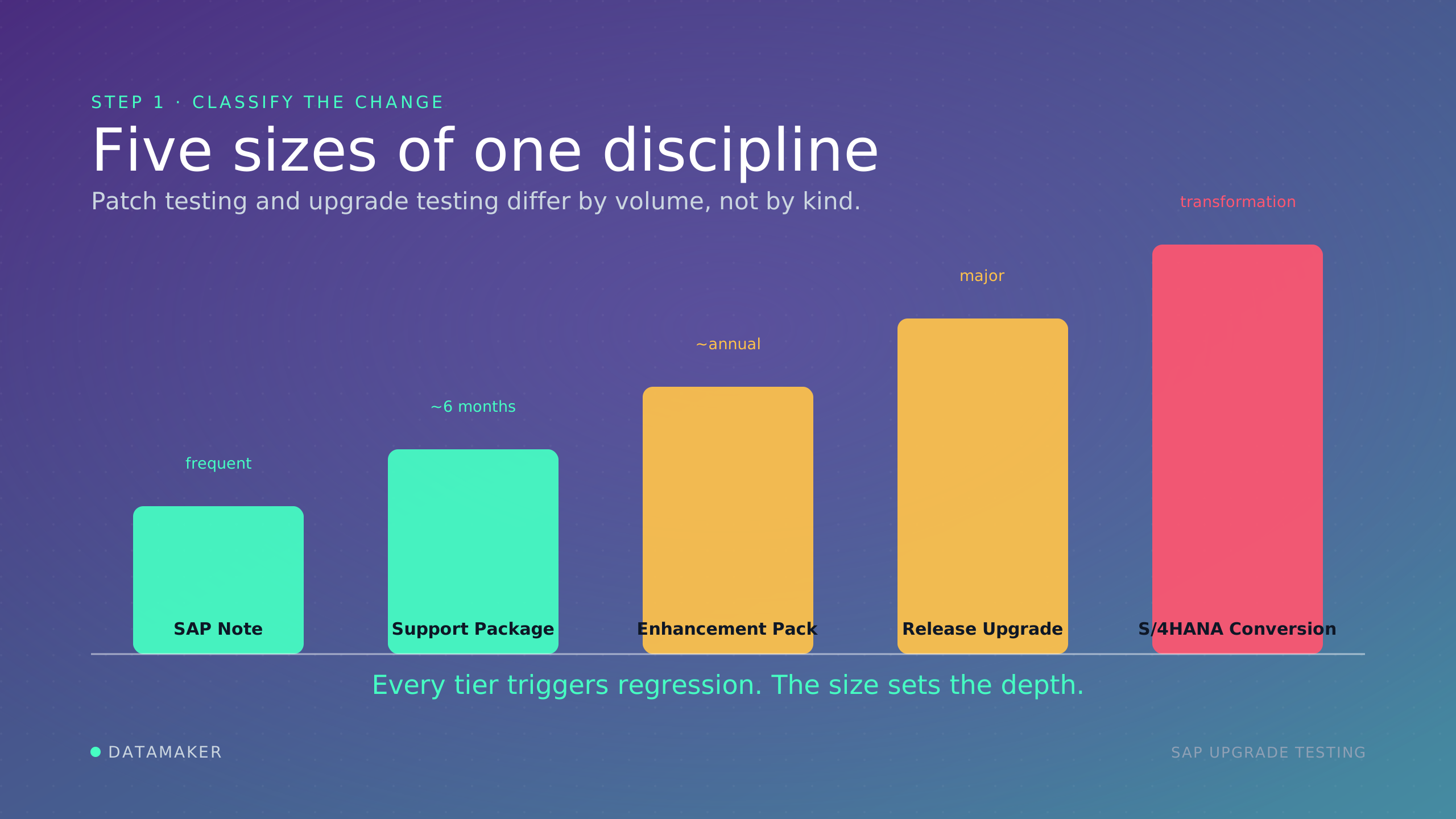
Before anything else, place the change on the spectrum, because its size sets your baseline expectation of effort:
- SAP Notes and kernel patches. Targeted fixes and security updates. Small footprint, applied often.
- Support Package Stacks (SPS). Bundled corrections and legal updates, a few times a year.
- Enhancement Packages (EHP). Larger, optional, and they add new functionality. Roughly annual.
- Release or version upgrades. Moving between major releases, for example S/4HANA 2022 to 2023.
- ECC-to-S/4HANA conversion. The largest tier. A database migration plus a new data model and, often, business process change.
One warning before you move on. The tier tells you the likely effort, not the actual risk. The most dangerous change is often the small one, because a patch feels routine, gets a smoke test, and ships.
A patch that quietly alters a pricing condition can surface three weeks later as sales orders applying wrong discounts and revenue reporting drifting, long after anyone connects it to the change. So treat the tier as a starting point, then find out what this specific change really touches.
Step 2: Map the blast radius
Now answer the question the tier cannot: what does this change actually reach? This is impact analysis, and it is what separates targeted testing from guesswork.
Map the change to the objects, transactions, and downstream processes it can affect, including the ones outside SAP.
This matters because SAP modules are interconnected by design. A change in Sales and Distribution can surface as a failure in Finance, because the order created in SD only breaks when it reaches FI for posting.
Impact analysis is how you test the ripple instead of the whole ocean. With the reach mapped, you can decide which of those affected processes you actually protect.
Step 3: Prioritize by business consequence
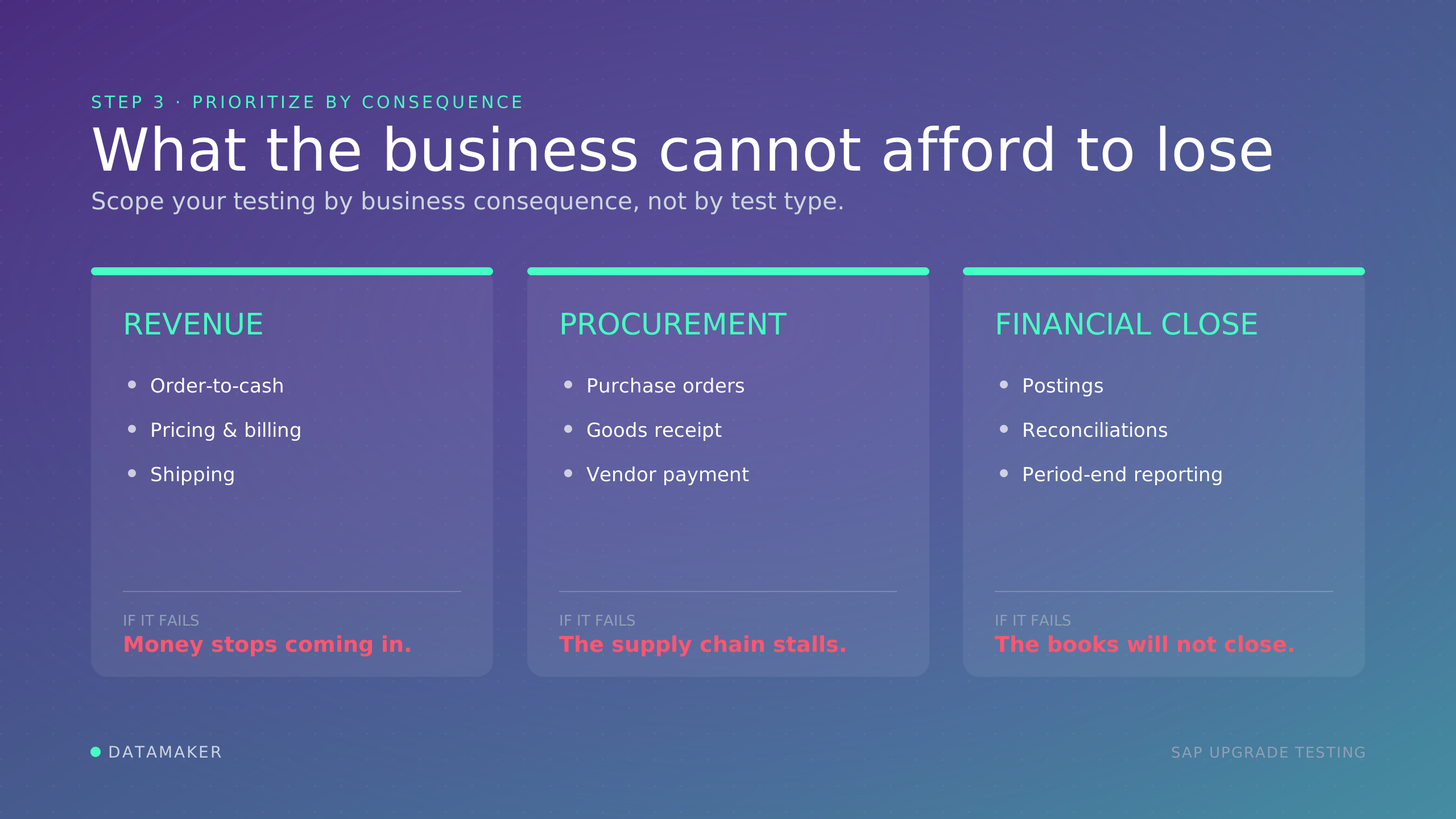
Here is where most teams go wrong, and where the strongest ones pull the conversation up out of QA language. A mature regression suite can hold 2,000 or more test cases.
You cannot run all of them for every change, so you have to choose, and the right way to choose is by what the business cannot afford to have broken on Monday morning:
- Which processes would stop revenue? Order-to-cash, pricing, billing, shipping. If these fail, money stops coming in, fast and publicly.
- Which processes would stop procurement? Purchase orders, goods receipt, vendor payment. If these fail, the supply chain stalls and production follows.
- Which processes would stop the financial close? Postings, reconciliations, period-end reporting. If these fail, you cannot close the books, and the damage is regulatory as well as operational.
Cross that list against the blast radius from Step 2, and add one filter: how often the business runs each process. A flow that executes ten thousand times a day matters for volume; a quarter-end flow matters because a silent failure hides until the close.
This decision should be owned by a test or QA lead working with the business process owners, not left to a developer guessing at scope on a Friday afternoon. The output is a ranked list of business outcomes you are protecting for this change.
Step 4: Define "enough" before you start
With your priorities ranked, set the finish line now, while it is still a calm decision rather than a deadline-day panic. This is the question underneath every upgrade project: how much testing is enough?
Teams know how to start. They rarely know when to stop, so they either test until the deadline rips the choice away or grind on long past the point where another week changes anything.
There is no 100 percent. A real SAP landscape has more permutations than any team can cover, and the last slice of coverage often costs as much as the first half while catching far less. The goal was never zero risk.
It is acceptable risk: you test until the residual risk on your revenue, procurement, and close-critical flows is low enough that the people who own them will sign off on going live.
Write that down as explicit exit criteria. Every critical flow passes, no open critical or high defects, remaining medium issues documented and formally accepted. When you meet the bar, you stop. When you have not, no deadline makes you ready.
Step 5: Build a realistic test environment
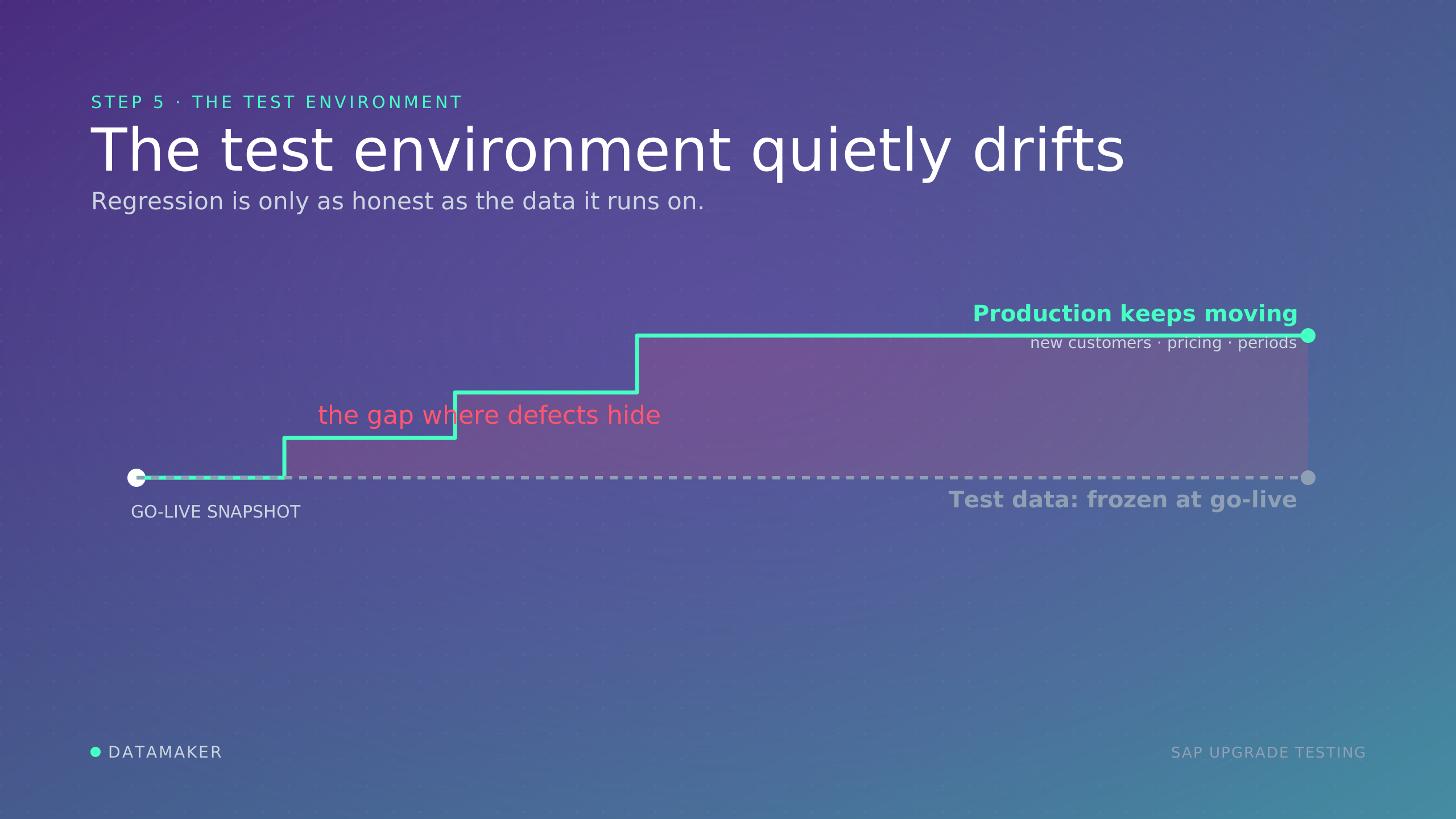
Your criteria are only as trustworthy as the environment you test against, and this is where a surprising share of upgrades quietly fail. The failure is usually not a missing test case.
The team wrote good tests, ran them, and watched them pass. The trouble was that they passed against data that no longer looked like production.
The pattern repeats everywhere. The test environment was built from a production snapshot taken before go-live. Then production kept moving: new customers, new pricing conditions, new material combinations, fresh fiscal periods.
Months later the test data no longer matches reality, so your suite passes against scenarios production has already outgrown, and at go-live a data pattern your test system never contained breaks the process you thought you had covered. Clean test data produces clean results, and clean results are not the same as low risk.
This is the gap DataMaker was built to close: provisioning production-like SAP test data, with masking modes you control, so your regression runs against records that reflect what production looks like now instead of a snapshot from last year.
We go deeper in our guides to SAP regression testing strategy and SAP test data refresh challenges. The one rule to carry forward: refresh and validate your test data before you trust a single result.
Step 6: Automate the regression core
Realistic data is wasted if you cannot run enough of it in the time you have, and for most landscapes manual testing has already stopped scaling.
When one upgrade can touch dozens of connected systems and the window has not grown to match, validating hundreds of processes by hand before every change is no longer realistic. That, and not novelty, is why automation tools sell.
Automate the high-value, repeatable core first: the order-to-cash, procure-to-pay, and record-to-report flows you run every cycle, so a regression pack that once took two weeks by hand runs overnight.
Leave exploratory and one-off checks to people. On tooling, SAP's own path pairs SAP Cloud ALM with Tricentis Test Automation, and S/4HANA Cloud ships a free Test Automation Tool with Test Data Containers for standard post-upgrade tests.
Worksoft and Panaya are common for broader automation and impact analysis. One note: SAP TAO has been discontinued, so keep it out of a new strategy.
Step 7: Execute to the right depth
Now you run it, and the tier from Step 1 finally tells you how deep to go. Match the depth to the size of the change:
| Change tier | Typical test depth |
| SAP Note / kernel patch | Smoke test plus targeted regression on the impacted area |
| Support Package Stack | Targeted regression across affected modules, key integrations |
| Enhancement Package | Full regression on impacted areas, integration, UAT for new functionality |
| Release upgrade | Full regression, integration, performance, end-to-end, UAT |
| S/4HANA conversion | All of the above plus data validation, custom code remediation, performance under load |
Treat the table as a floor, not a ceiling. A "small" patch that touches pricing logic earns more than a smoke test, because Step 3 already told you pricing stops revenue.
Step 8: Protect coverage when the timeline compresses
In the real world, time runs out. The window shrinks to a weekend, the fix list grows, and the date will not move. This is where teams sabotage themselves by shrinking regression to "run the top ten and hope," because the defects that extend projects rarely live in the top ten.
They live in the low-frequency, month-end processes the shrunken scope stopped covering.
Compress by ranking, not by volume. Keep full coverage on the revenue, procurement, and close-critical flows from Step 3 no matter what. Defer the genuinely low-risk, low-usage cases, and write down what you deferred so it is a decision rather than an accident.
Lean on the automation from Step 6 so that cutting manual effort does not mean cutting the safety net.
Step 9: Validate after deployment and through hypercare
Testing does not end at go-live. Run a smoke test immediately after deployment to confirm the critical flows still work in production, then hold a regression cadence through hypercare, because this is exactly when stale-data gaps and missed edge cases surface.
The team that keeps testing for the first weeks after an upgrade is the team that catches the silent break before it reaches a customer.
What separates a clean upgrade from a costly one
The SAP ECC clock is why this is urgent. Mainstream maintenance for EHP 0-5 ended at the end of 2025, and EHP 6-8 ends at the end of 2027, with extended maintenance to 2030 at a 2 percent premium.
That deadline is driving a wave of upgrades and migrations, and the results are not reassuring. A 2025 Horvath study of 200 SAP companies found projects running about 30% longer than planned, only 8% finishing on schedule, and the budget exceeded in more than six of every ten cases.
Separate ISG research published in February 2026 found nearly 60% of migrations behind schedule and over budget.
The teams that come through with the least damage are not the ones who test everything.
They are the ones who run these steps in order: classify the change, map what it touches, prioritize by what the business cannot afford to lose, decide what "enough" means, test against realistic data, automate the core, execute to depth, protect coverage under pressure, and keep watching after go-live.
The upgrade installing is not the win. The business still running on Monday morning is.