SAP systems rarely stay unchanged for long. Configuration updates, transports, and upgrades are part of daily operations. But here’s the real challenge.
What looks like a small change, like adjusting a pricing rule or updating a tax configuration, can silently break critical business processes such as order creation, invoicing, or financial postings.
Most issues don’t appear immediately. They show up later, when real transactions fail. This is where regression testing becomes essential.
It helps SAP teams verify that existing business processes continue to work correctly after system changes, before those changes reach production.
In this guide, we’ll break down how regression testing actually works in SAP environments, where it becomes difficult, and how modern teams handle it using automation, risk-based strategies, and reliable test data.
What is Regression Testing in SAP and Why is it Crucial?
Regression testing in SAP verifies that existing business processes continue to function correctly after any system change—whether a configuration update, custom code transport, system upgrade, or external integration adjustment.
Unlike simpler applications, SAP supports complex, interconnected workflows across multiple modules. A seemingly minor change (e.g., updating pricing rules in the SD module) can ripple through downstream processes: affecting sales order creation, invoice calculations, inventory checks in MM, delivery processing, and financial postings in FI.
Without regression testing, these harmless-looking modifications can unintentionally disrupt operations—preventing invoices from generating, causing incorrect financial entries, or breaking critical order-to-cash flows.
Regression testing acts as an essential safeguard, detecting issues early so changes reach production without risking business stability.
When SAP Regression Testing Is Typically Needed
Regression testing is usually triggered when something in the system changes. In SAP environments, such changes occur frequently.
One common trigger is a system upgrade. When organizations apply support packs or migrate from ECC to S/4HANA, they must verify that existing functionality continues to behave as expected.
Configuration updates are another frequent trigger. Adjustments to pricing rules, tax calculations, workflow logic, or master data settings may influence several related processes.
Another common example comes from the SAP MM module.
If a company updates material valuation or purchasing configuration, the impact is not limited to procurement. It can affect purchase order creation, goods receipt posting, inventory valuation, and financial entries in FI.
Regression testing ensures that these connected processes continue to function correctly after the change.
Even routine code transports can introduce risk. When new ABAP code is moved from development to QA, previously stable functionality must be re-tested to confirm that the update has not introduced unintended effects.
Because these changes occur regularly, regression testing becomes an ongoing activity rather than a one-time task.
9 Steps of a Practical SAP Regression Testing Strategy
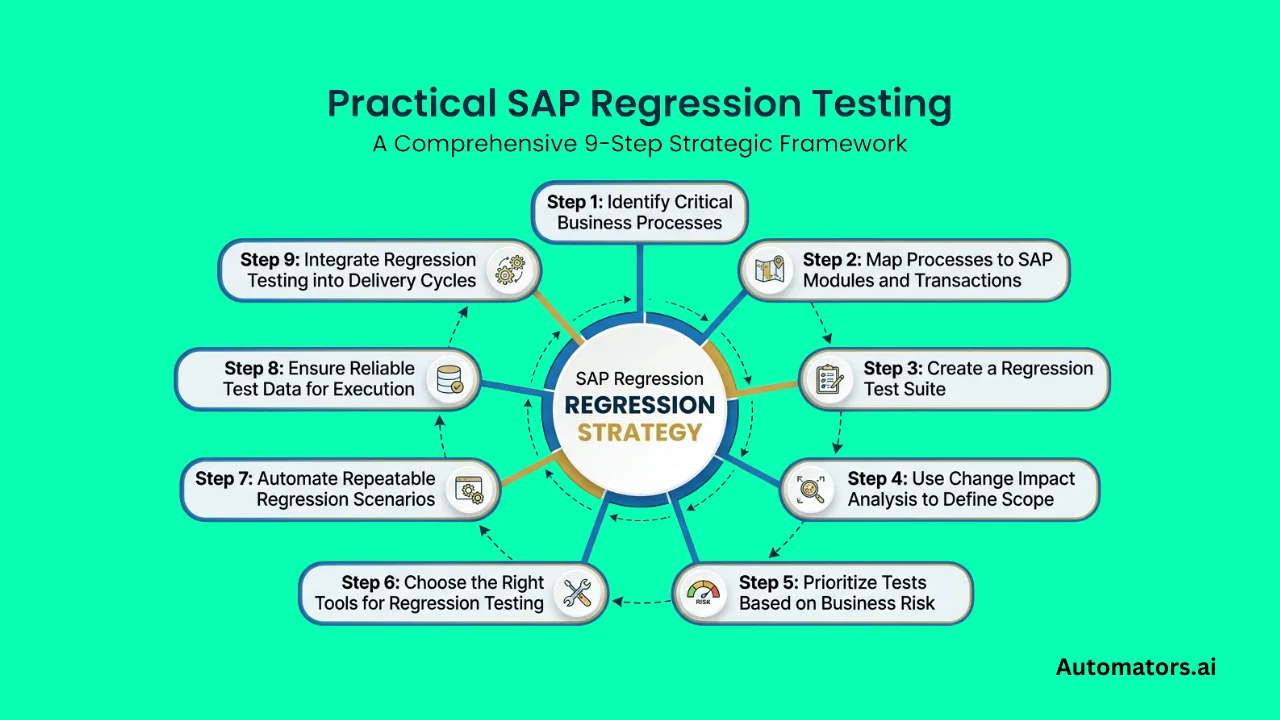
As SAP landscapes grow, regression testing becomes difficult to manage using ad hoc approaches. Large systems often contain hundreds of business processes, and running all tests after every change is neither practical nor efficient.
To make regression testing effective, teams follow a structured approach. The goal is not to test everything, but to ensure that the most critical business processes remain stable after each change.
Step 1: Identify Critical Business Processes
Start by identifying the business processes that are essential to daily operations.
These are not technical components, but end-to-end workflows such as order-to-cash, procure-to-pay, and financial posting and reporting.
The easiest way to do this is to work with business stakeholders and functional consultants. Ask a simple question:
“If this process fails, what is the impact on the business?”
Focus on processes that directly affect revenue, financial reporting, or operations. These will form the foundation of your regression testing scope.
Step 2: Map Processes to SAP Modules and Transactions
Once the key processes are identified, break them down into SAP-level steps.
For example, an order-to-cash process may include sales order creation in SD, delivery processing, goods issue, invoice generation, and financial posting in FI.
Document the transactions, modules, and dependencies involved in each step. This mapping is critical because regression issues often occur at integration points between modules, not within a single transaction.
Step 3: Create a Regression Test Suite
After mapping the processes, create test cases that validate each step of the workflow.
Each test case should represent a real business scenario, not just a technical check. Instead of testing “create sales order,” the test should validate pricing, tax calculation, customer data, and successful downstream processing.
These scenarios should include both standard flows and edge cases, such as exception handling or incomplete data conditions.
Over time, this becomes your regression test suite, a collection of test cases that reflect how your business actually operates.
Step 4: Use Change Impact Analysis to Define Scope
Running the full regression suite after every change is inefficient. This is where change impact analysis becomes critical.
When a change is introduced, analyze which modules are affected, which business processes depend on those modules, and which test cases cover those processes.
Based on this, select only the relevant regression tests.
For example, if a pricing condition is updated, there is no need to test unrelated areas like HR. Instead, focus on sales and financial processes impacted bcing.
You can read our change impact analysis guide to learn more about how it works.
Step 5: Prioritize Tests Based on Business Risk
Once the relevant regression tests are identified, the next step is deciding the order in which they should be executed.
Not all test scenarios carry the same level of risk. Prioritize execution based on business impact.
High-risk areas include financial postings, payment processing, and core order management. Failures in these areas can directly affect revenue or financial accuracy.
Medium-risk scenarios may include reporting and analytics, while low-risk scenarios involve rarely used features.
Always execute high-risk scenarios first. If time or resources are limited, lower-risk tests can be deferred without putting critical operations at risk.
Step 6: Choose the Right Tools for Regression Testing
Once the regression scope and priorities are defined, the next step is selecting the right tools to execute and manage testing efficiently.
Different tools support different parts of the regression testing process. Some focus on automation execution, while others help define scope or manage large-scale testing across systems.
A practical way to evaluate tools is to look at where they fit in your workflow:
| Tool | Core Strength | Best Use Case | Limitation to Consider |
| Tricentis Tosca | Model-based automation with reusable components | Complex SAP landscapes with frequent UI or process changes | Requires initial setup effort and learning curve |
| Panaya | Change impact analysis and risk-based scope reduction | Identifying what to test after transports or upgrades | Not designed for deep test execution automation |
| Worksoft | No-code end-to-end business process automation | Large enterprises with cross-system workflows | Limited flexibility for API-heavy or custom integrations |
| SAP CBTA | Native integration with SAP Solution Manager | SAP-centric environments using SAP ALM tools | Less effective for non-SAP or multi-system scenarios |
Instead of relying on a single tool, most SAP teams combine multiple tools based on their needs.
For example, impact analysis tools like Panaya help determine which tests should run, while automation tools like Tricentis Tosca execute those tests efficiently.
In larger environments, Worksoft is often used to automate full business processes across systems, while SAP CBTA is preferred by teams working entirely within the SAP ecosystem.
The key is not choosing the “best” tool but selecting the right combination that fits your regression testing strategy, system landscape, and team capabilities.
Step 7: Automate Repeatable Regression Scenarios
Once the regression suite stabilizes, identify test cases that are executed frequently and automate them.
Focus on high-risk scenarios, repetitive test cases, and stable workflows that need to be validated after every change.
Tools like Tricentis Tosca are commonly used to automate these scenarios so they can run consistently without manual effort.
Automation works best when applied to stable and repeatable scenarios, while complex or edge cases still require manual validation.
Step 8: Ensure Reliable Test Data for Execution
Even well-designed regression tests can fail if the required test data is not available.
Each test case depends on specific data conditions, such as valid customers, material availability, pricing configurations, and financial records.
In many SAP projects, test failures are caused not by system defects but by missing or inconsistent test data.
Instead of relying on existing system data, define how test data will be created and maintained.
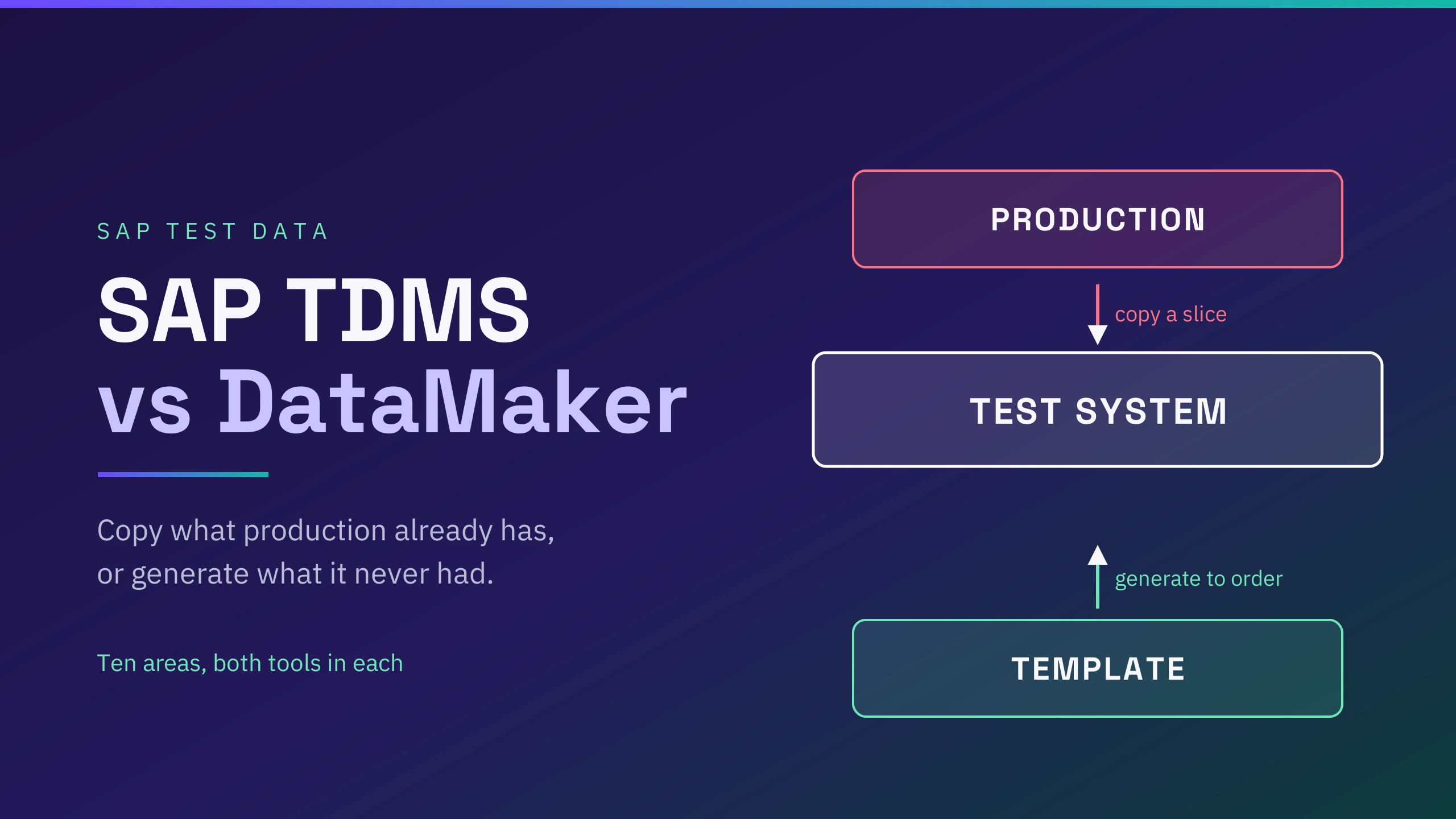
This is where synthetic test data becomes important. It allows teams to generate consistent datasets for regression testing without depending on production copies.
Step 9: Integrate Regression Testing into Delivery Cycles
Regression testing should not be treated as a one-time activity before release.
In most SAP environments, regression testing is triggered after every transport, configuration change, or release cycle.
After each change, impact analysis identifies affected areas, relevant regression tests are selected, automated tests are executed, and results are validated.
This creates a continuous feedback loop, allowing teams to detect issues early and release changes with confidence.
Challenges in SAP Regression Testing and How to Solve Them
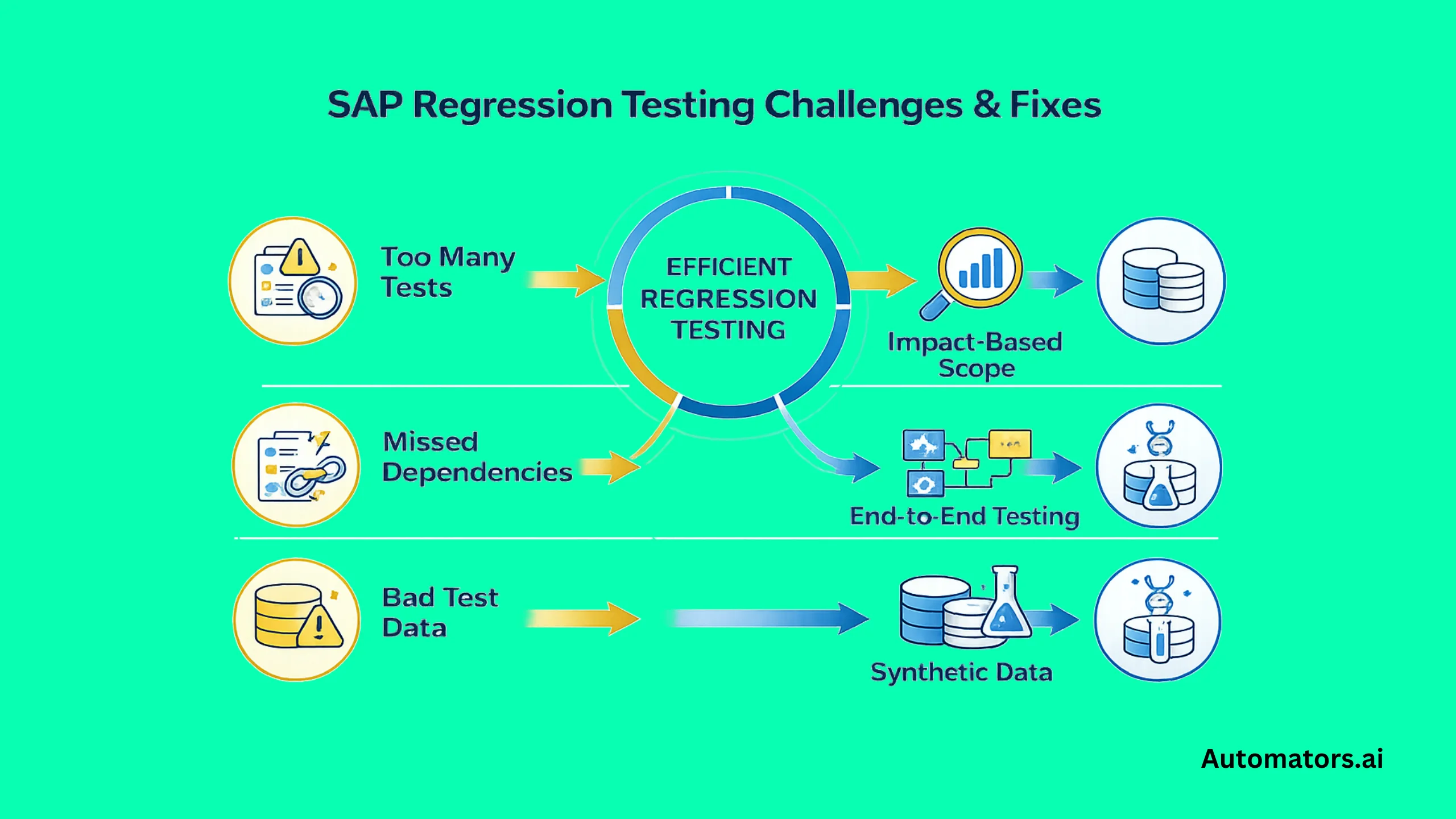
Even with a structured regression testing strategy in place, SAP teams still face a few practical problems that can slow execution or reduce test reliability.
The challenge is usually not understanding what regression testing is. The challenge is making it efficient and dependable in real project environments.
Challenge 1: Regression Scope Becomes Too Large
In large SAP systems, regression suites can grow quickly. Teams may end up with hundreds of test cases across modules and business processes. Running the full suite after every change takes time, but skipping tests creates risk.
The practical fix is to reduce scope before execution starts. Instead of running everything, use change impact analysis to identify which business processes are actually affected by the change. Then prioritize those tests based on business risk. This helps teams reduce unnecessary execution without losing coverage where it matters most.
Challenge 2: Dependencies Across Modules Are Easy to Miss
SAP processes rarely stay inside a single module. A change in SD can affect FI, and a change in MM can influence procurement, inventory, and downstream financial postings. These dependencies are one of the main reasons regression issues slip through.
The best way to handle this is to design regression coverage around end-to-end workflows, not isolated transactions. Flows such as order-to-cash or procure-to-pay should be tested as connected business processes. This is where process mapping becomes important, because it helps teams see where changes can ripple across modules.
Challenge 3: Test Data Is Often the Real Failure Point
Many SAP regression failures are caused by data problems rather than system defects. Automated tests may need valid customers, materials, pricing records, or financial setups. If the data is missing or inconsistent, tests fail even when the system is working correctly.
The solution is to treat test data as part of the regression strategy, not as an afterthought. Instead of relying on copied production data or manually prepared records, teams should use controlled datasets that match real business scenarios.
Synthetic test data is especially useful here because it allows teams to create reusable datasets without exposing sensitive information. Tools like DataMaker can support this by generating SAP-ready test data on demand, which improves test reliability and reduces setup effort.
Advanced Practices for Mature SAP Testing Teams
Once the main regression process is stable, some teams move beyond basic execution and focus on making regression testing more adaptive.
One important shift is smarter scope selection. Rather than using the same test set after every change, mature teams adjust regression scope based on transport impact, business risk, and defect history. This reduces unnecessary execution and is especially valuable in S/4HANA environments with more frequent updates.
A second shift is the growing use of AI-assisted testing features. Some newer platforms are introducing capabilities such as risk suggestions, self-healing test maintenance, and smarter test selection based on past failures or recent changes.
These features do not replace the regression strategy, but they can reduce maintenance effort and make test execution more targeted.
Final Words
In SAP environments, regression testing is less about rechecking screens and transactions and more about protecting the business processes that depend on them.
That is what makes it different from a routine QA task. A pricing change, transport, or upgrade can affect workflows that span multiple modules, and the real risk is not just a failed test but a disrupted order, invoice, payment, or posting.
Teams that treat regression testing as a business process protection mechanism and support it with the right scope, automation, and test data are far more likely to release changes safely and consistently.