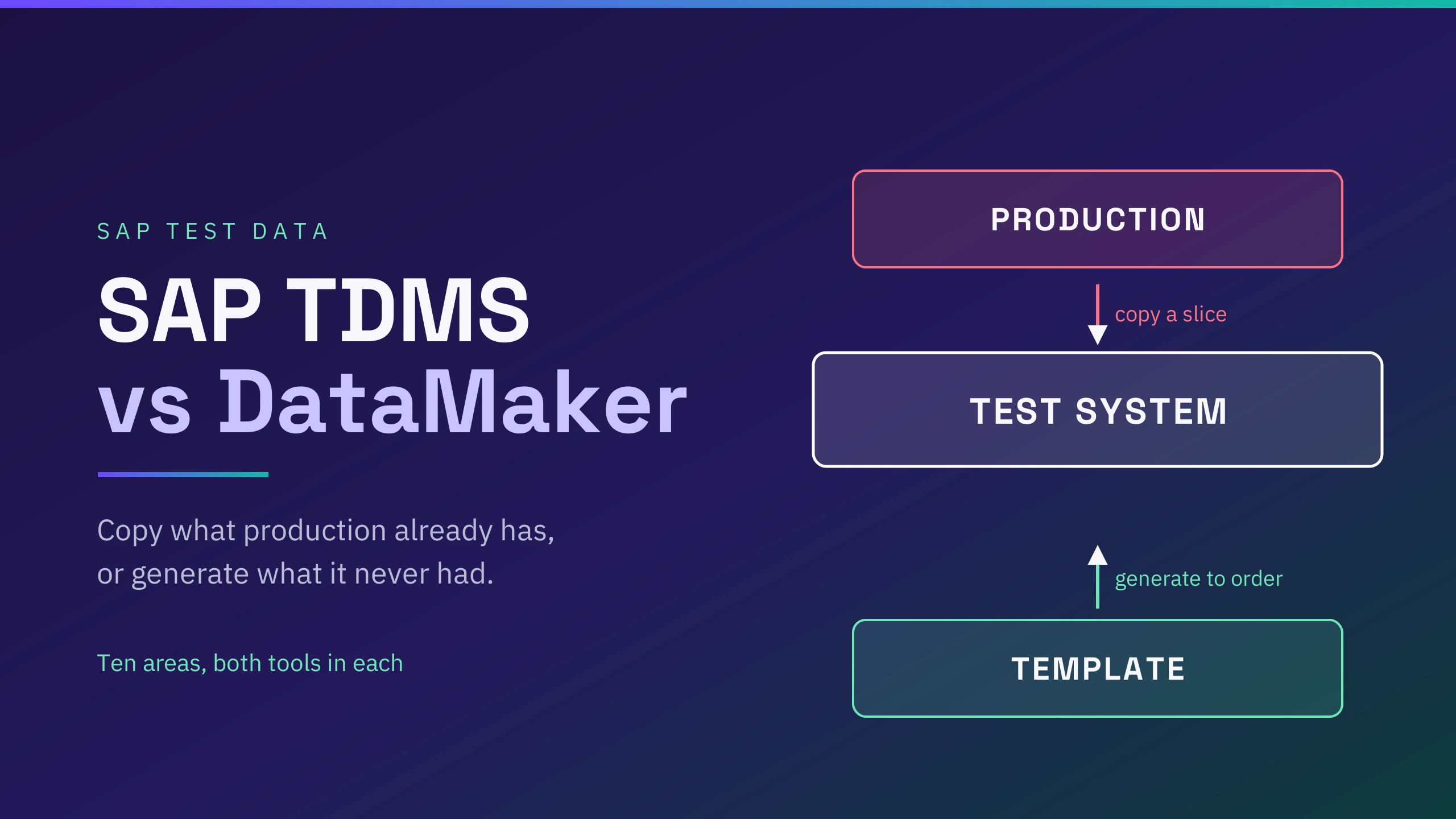
SAP TDMS fills non-production systems by copying a slice of production into them, scrambling sensitive values on the way. It does that job well.
Two things it cannot do: give you data production does not already contain, and give a tester data today, since every refresh is its own package with its own phases.
Generating data answers both. A record that never happened can still be described, and a saved template runs on demand. Masking covers the real records you still have to carry over.
DataMaker does both, which is why it is the comparison here. Whether it replaces TDMS depends on the job: specific data on demand, yes; a whole landscape refresh, no, and area 7 explains why.
Ten areas below, both tools in each, and several end with TDMS as the better choice.
SAP TDMS vs DataMaker across ten areas
1. What each one can produce
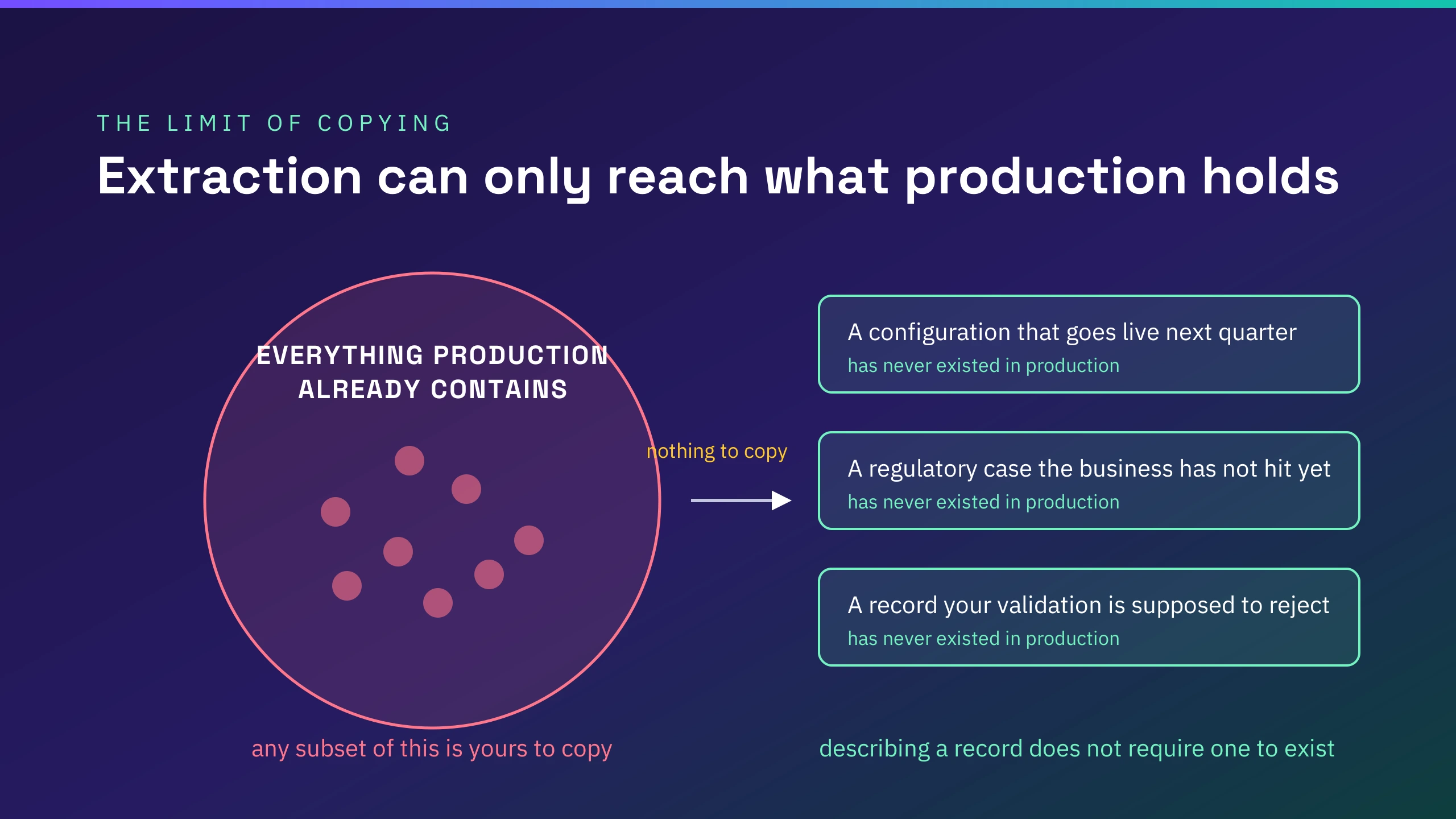
TDMS extracts from a production sender system. Production is the definition of realistic, so records arrive with the relationships, the volume and the oddities that real business activity produced, and nobody had to describe any of it. The ceiling is the one from the intro: you can have any subset of what exists, and nothing that does not.
DataMaker generates from a template, which is a named list of fields where each field has a generator type and type-specific options. Fields can derive values from other fields, nest child records, reference another template, or draw from a weighted distribution.
Because nothing is being copied, a record that has never existed is as easy to produce as one that has, which is what makes future-dated scenarios, unreleased configurations and deliberate rule violations reachable at all.
The trade is the mirror image. Production's shape comes free with extraction and has to be built deliberately with generation, and generated data carries no guarantee that a generated value will never coincide with a real one.
2. What you have to stand up
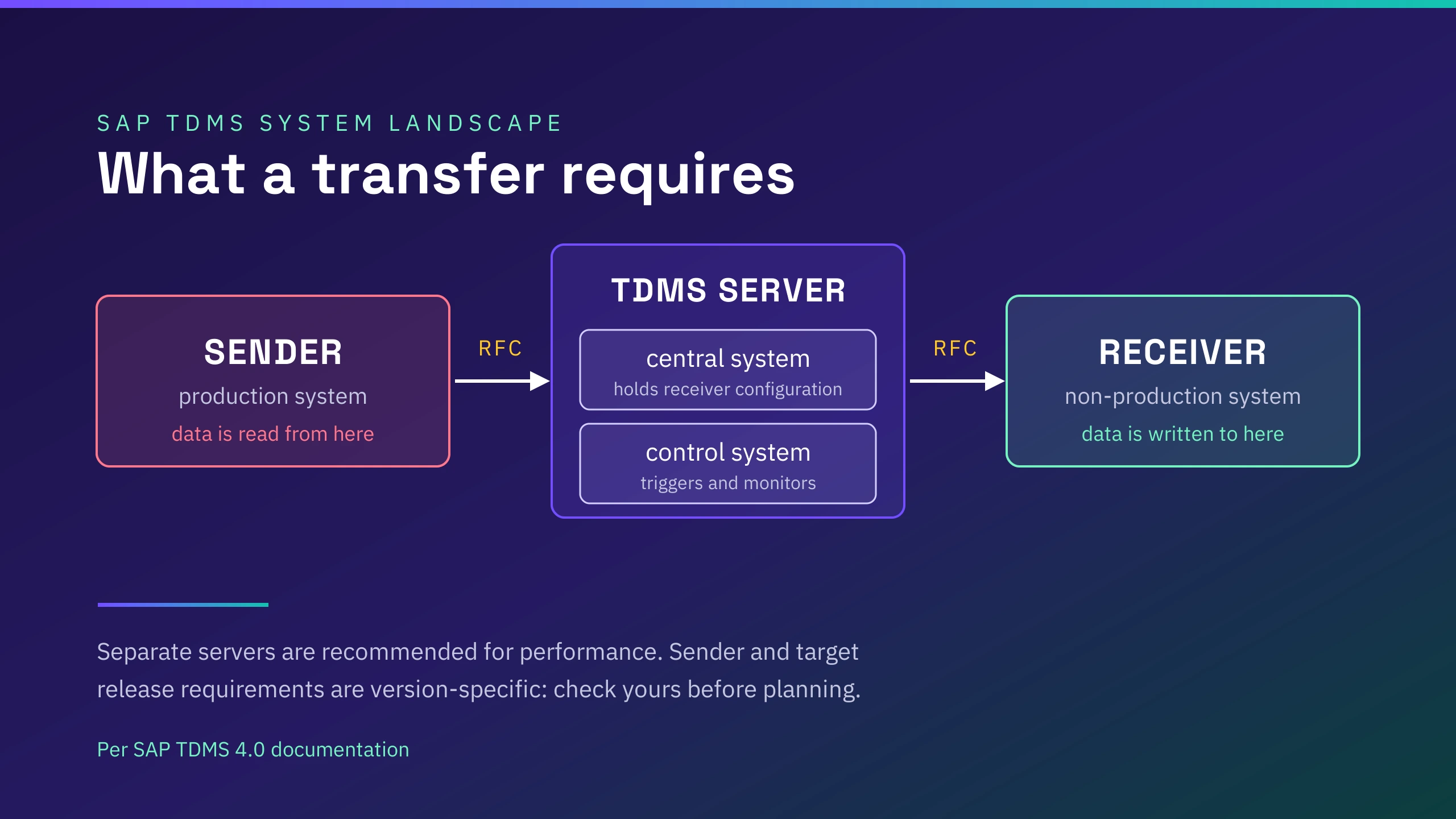
TDMS needs three roles: a sender, which is production, a receiver, which is the system being filled, and a TDMS server hosting a central system holding the receiver configuration plus a control system that triggers and monitors the transfer, all linked by RFC, with the documentation recommending separate servers for performance. Work is organised into projects, then subprojects per sender and receiver client pair, then packages.
Per the TDMS 4.0 documentation, sender and target also have to be on the same release, with DMIS components version-matched across sender, receiver and central systems. Confirm that for your own release in the Product Availability Matrix or SAP ONE Support, since our source describes TDMS 4.0. The transaction is TDMS in version 4.0 and CNV_MBT_TDMS in version 3.0.
DataMaker needs an endpoint and credentials. It reaches SAP through saved OData or REST endpoints grouped under an integration that holds the authentication, and runs as a hosted application, self-hosted, or on the desktop, with the latter two sometimes on an earlier release.
There is no second SAP landscape to license, patch and keep in step, and for teams whose constraint is that nothing may leave their network, the self-hosted option keeps it inside.
3. Getting data again next week
Per the TDMS 4.0 documentation, each initial setup and each refresh needs a new package, and performance depends on resource tuning done during system analysis. A transfer moves through four phases: package settings, system analysis, data transfer and post processing. In practice that makes a refresh a planned operation rather than something a tester initiates on the day they need data.
A DataMaker template is saved and reusable from the editor, chat, scenarios or the API, so the second run is the same template with a different quantity. Plans keep their full run history, and any run can be opened again from the Run tab.
4. Privacy posture
TDMS scrambles sensitive values, and it is worth being specific, because this is more than a toggle. Scrambling objects are built in the TDMS work center under transaction TDMS, organised into solution categories, supergroups, groups and individual rules, with global mappings shared across rules so related fields scramble consistently.
The rule types include deleting a value, writing a fixed value, manual one-to-one mapping, number conversion, random selection from a single-column or multi-column lookup table, value ranges, random tables for time periods, and a custom routine. Scrambling runs either during a transfer, where data is copied to a cluster on the sender, scrambled there and sent on, or stand-alone inside a system with no transfer at all.
That is a real masking framework, configured per table and field. We have not operated it, so we are not going to rate how it performs in a given landscape, but anyone choosing on privacy grounds should evaluate it rather than assume generation is the only route to a masked system.
DataMaker has two answers depending on the job. Generated data has no production origin, so there is nothing to mask. Prepared data does, and for that there are masking policies with per-field rules across five strategies: a realistic fake value, a hash, a token that can be reversible through a key-map vault, a redaction, or a format-valid fake that still passes validation. A dry run executes on the real engine and persists nothing.
One correction worth making plainly, because it catches people out in both tools: classifying a field as sensitive is not masking. In DataMaker a sensitive classification flags that a field may hold personal or confidential data. It does not prove values were changed, does not remove them from logs and does not block export. Only a masking policy changes values.
5. Control before anything is written
TDMS controls scope through package configuration and the phase structure, with user locking and receiver clearing as explicit steps in the data transfer phase.
DataMaker controls it through the plan. A generation run writes rows only into the endpoints its approved plan names. Before each endpoint write the endpoint is checked against the plan's entities, anything unnamed is refused, and the refusal is recorded on the audit trail.
The check answers from the plan alone and fails closed, so a spec naming no endpoint authorises none and a spec that will not parse authorises none. The limit worth knowing: this engages inside a plan run only. Ordinary chat sessions and Python scenarios are not covered by it.
6. Evidence after the run
TDMS runs a consistency check during the data transfer phase.
DataMaker grades a completed run per entity against the approved volume. Tolerance is exact by design, since generation asks for exactly the volume approved. An entity whose artifacts could not be counted is reported as uncounted rather than assumed lost, and one counted at zero is reported as fully short.
Every endpoint write records what was attempted, what succeeded, the row count, the status and any error. Acceptance produces a hash-stamped artifact, and a short run can be accepted with a stated reason. Being precise about what that is worth: the artifact is evidence of a decision, not proof the rows arrived.
7. Volume
TDMS is built for landscape-scale copies, and a time-based subset from production carries production's distribution without anyone configuring it.
DataMaker's standard load ceiling is 100,000 input rows. Migration mode needs its own approval and still batches individual writes. If the job is filling a whole landscape, this is the wrong instrument.
8. Testing what gets rejected
Neither intro gap matters more than this one for teams whose interfaces are the thing under test, and it is the clearest case of the coverage ceiling in area 1.
TDMS carries what production holds, and production holds records that passed validation. Rows that should be refused are not sitting there to be copied.
DataMaker builds them on purpose. Negative testing produces rows that each break exactly one declared constraint, loads them, then grades in both directions: a row the target accepted despite breaking a constraint is a validation gap or a sign the constraint is not what you believed, and a valid row the target refused points at a defect in the data, the mapping or the interface.
One violation per row is the invariant, because a row with two defects cannot attribute its own rejection. Run this against a sandbox, since a target that accepts these rows has now stored data you did not want it to have, and keep the quarantine restricted because it holds mutated data and refused valid rows.
9. Who operates it
TDMS sits with Basis. Gartner reviewers describe it as "complex to tune and support", warn that incorrect parameter settings carry risk to the production system, report work-process consumption that affected production performance, and say the expertise is hard to find in the market.
That is two reviews' worth of opinion, filed in 2018 and 2019, as noted below. The skills question is real either way, and it cuts both ways: hard to hire for, and therefore valuable if you already have it.
DataMaker sits closer to QA or test engineering. A template is a list of fields, and the agent can build one from an endpoint's metadata, which moves the work towards the people who know what the test needs.
10. What it costs to run
Neither vendor publishes a price list you can compare line by line, so what follows is the cost structure rather than figures. Get quotes for both before deciding anything on this basis.
TDMS costs sit in three places. The licence, which is negotiated with SAP rather than published. The landscape, since the TDMS server and the systems it coordinates are infrastructure you provision, patch and keep version-aligned. And Basis time, both for the initial setup and for every refresh, which is the item teams most often leave out of the comparison and the one Gartner reviewers were describing when they called the expertise hard to find.
DataMaker costs sit in two. The subscription, and the configuration effort to describe the data you want, which replaces the extraction work rather than eliminating work altogether. There is no second SAP landscape in the picture. As it's an enterprise grade product, contact the salses team for pricing details.
The ten areas side by side
| Area | SAP TDMS | DataMaker |
| What it can produce | Any subset of what production contains, with production's shape for free | Any record that can be described, including ones that have never existed |
| What you stand up | Sender, receiver and a TDMS server hosting central plus control systems, RFC-linked, with release parity (per TDMS 4.0 documentation, verify for your release) | An endpoint and credentials, hosted or self-hosted |
| Getting data again | A new package per refresh, with resource tuning | A saved template re-run with a new quantity |
| Privacy posture | Scrambling of copied production values through a rule-based work center, during transfer or stand-alone | No production origin when generating, explicit masking policies when preparing |
| Control before writing | Package configuration and phase structure | Plan-named endpoints only, fails closed, refusals on the audit trail, inside a plan run |
| Evidence after the run | Consistency check in the data transfer phase | Per-entity grading at exact tolerance, hash-stamped acceptance artifact |
| Volume | Built for landscape-scale copies | 100,000 input rows standard, migration mode needs its own approval |
| Testing what gets rejected | Carries records that passed validation | Builds one-violation-per-row sets and grades in both directions |
| Who operates it | Basis, with skills reviewers call hard to hire | QA or test engineering, agent-assisted template building |
| What it costs to run | Licence, landscape and Basis time | Subscription and configuration effort |
Choosing by situation
Refreshing a whole landscape from production
TDMS. This is what it was built for, and doing it by generation would mean modelling every table you care about.
Performance testing that needs production-shaped volume
TDMS, or an existing shell you already have. Generated data can reach that shape, but you will spend real effort configuring it and the result is a model of production rather than production.
A tester needs specific records today, against one or two interfaces
DataMaker. This is the case the package-and-phase model handles worst and generation handles best.
The scenario has not happened in production yet
DataMaker, and this one is not close. Extraction has nothing to offer here by definition.
Knowing what your interfaces reject, not just what they accept
DataMaker, per area 8.
Policy forbids production data in non-production, scrambled or not
DataMaker, if the policy is written about where data came from. Extraction cannot meet a provenance rule and generation can. Read your policy first, though, because some are written about the values themselves rather than their origin, and generation carries no guarantee that a generated value will never coincide with a real one.
Showing an auditor what was written, where, and on which approved plan
DataMaker, specifically areas 5 and 6. Note the shape of that evidence before you rely on it: the run records what was attempted and what succeeded per endpoint, and acceptance is performed by someone holding the approval permission and produces a hash-stamped artifact. If your auditor needs the approver named in the record, confirm that against your own deployment before promising it.
Your Basis team already runs TDMS and the packages work
Keep them, and read the next two sections.
The S/4HANA and lifecycle question
Here is only what is on the public record.
On Gartner Peer Insights, SAP Test Data Migration Server holds 3.2 from two ratings, both filed in 2018 and 2019. Two reviews from that long ago is a thin basis for a score. The product sits in a Gartner market category labelled as retired. The category is retired. That is not a statement about the product.
In January 2026 a practitioner opened an SAP Community thread asking for a TDMS replacement, stating it no longer works with S/4HANA and asking whether SAP Migration Cockpit would fit. The Migration Cockpit question is still unanswered, and the one reply recommends a competing commercial product.
That is the whole of what the thread establishes: one practitioner looking for an alternative, and one vendor answer. It says nothing about SAP's position, and we have not verified the S/4HANA problem the poster describes.
So check the Product Availability Matrix and SAP ONE Support for your own release before planning around TDMS. We are not going to tell you what SAP's roadmap says when we have not verified it.
Running both
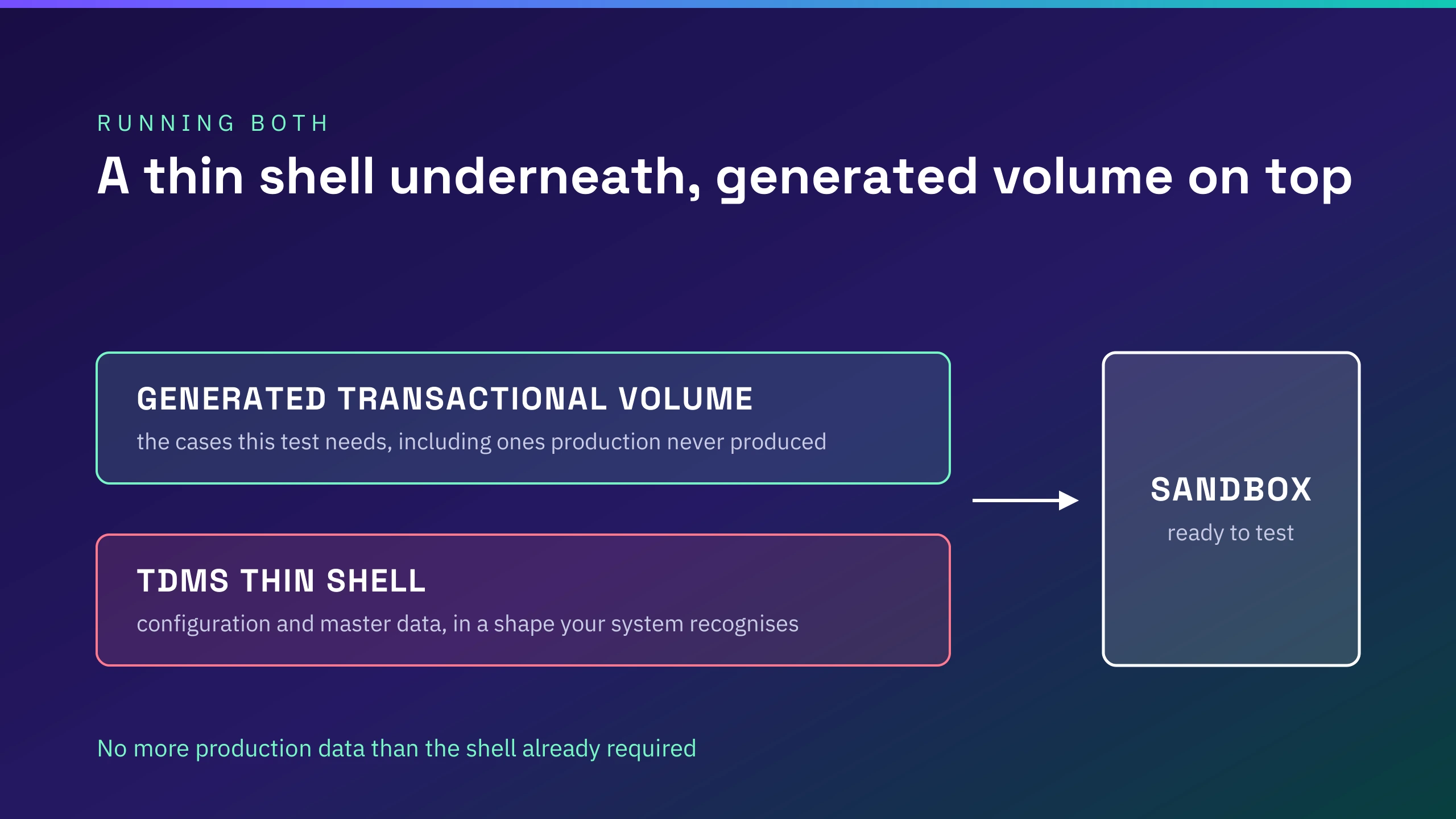
Replacing TDMS outright is one option, and for teams with working packages it is rarely the best one. A thin TDMS shell gives you configuration and master data in a shape your system recognises.
Generated transactional volume on top gives you the cases a specific test needs, including the ones production has never produced, without pulling more production data than the shell already required.
That framing is deliberate. DataMaker is not a full end-to-end SAP test platform on its own and does not try to be. It sits alongside the tooling you already run.
If you want to try the generation side
The usual starting point is one SAP sandbox and one entity, generated against the OData service your Basis team already exposes, which is small enough to judge in an afternoon. Details and a pilot request are on the SAP TDMS alternative page.
Trademarks
SAP, SAP TDMS and SAP S/4HANA are trademarks or registered trademarks of SAP SE in Germany and other countries. DataMaker is a product of Automators GmbH. This article is an independent comparison and is not affiliated with, sponsored by or endorsed by SAP SE. [LEGAL TO CONFIRM ENTITY NAME AND WORDING]
Sources
- SAP Test Data Migration Servers, Harminder Singh, IJERT Vol 9 Issue 11, for TDMS architecture, subsetting modes and prerequisites
- SAP Test Data Migration Server (TDMS): Data Scrambling, SAP Community, for the scrambling work center and rule types
- SAP Test Data Migration Server reviews, Gartner Peer Insights
- Replacement for TDMS, SAP Community, January 2026
- DataMaker behaviour: our own product documentation at docs.automators.com/datamaker