Reliable SAP test data is one of the hardest parts of SAP quality assurance.
Between strict compliance rules, interconnected business modules, and complex end-to-end processes, testing often slows down simply because teams do not have the right data at the right time.
That is why SAP QA teams are shifting toward test data generators, tools that help create safe, realistic, and reusable SAP test data without copying production information.
In this guide, we'll explore the top test data generators available in the market so that you can tackle all your test data needs with ease.
We'll start with native SAP options, highlighting their pros and cons, and then we'll cover leading third-party tools as well, so that you can choose a solution based on your specific scenarios.
A. Native SAP Test Data Solutions
While SAP does not offer a dedicated test data generator, it does provide several built-in tools and features that help teams prepare or load data into non-production environments.
Some support client copies, some support automated data entry, and some assist developers with AI-powered code and content generation.
The table below summarizes the most relevant SAP-native options that QA teams often rely on during test data preparation.
| Tool | What It Does | Best For | Pros | Limitations |
| SAP TDMS (Test Data Migration Server) | Copies and scrambles selected production data into QA systems | Creating lean, realistic QA clients without full system copies | Reduces dataset size. Maintains business context. SAP-supported. | No synthetic data creation. Complex setup. |
| SAP Client Copy (SCCL / SCC9) | Creates new clients or refreshes existing ones using local or remote copies | Initializing QA, sandbox, or training systems | Simple. Standard utility in all SAP systems. | Heavy, slow, and requires masking outside SAP. |
| LSMW / LTMC | Loads master and transactional data from templates into SAP | Targeted datasets needed for specific test scenarios | Flexible. Template-based and repeatable. | Manual prep required. Limited volume. |
| SAP Script Recording & Playback | Records and replays SAP GUI actions that create or update data | Small recurring tasks or quick one-off data creation | Easy to record. Helps when no automation tool is available. | Not stable for complex processes. Limited validation. |
| Generative AI in SAP HANA Cloud | AI-assisted content generation, code suggestions, and natural-language querying inside SAP HANA Cloud | Developer productivity, query generation, and documentation tasks | Helpful for development teams. Native to SAP HANA Cloud. | Built for code and query assistance, not for business process test data. Generated content needs review before use. |
Summary
As you can see, these native tools are useful for basic usage, initial system setup, or small testing needs. But they have limitations for large-scale, accurate, or reusable test data preparation, which often leads to inconsistent environments and compliance challenges.
Before Moving to Third-Party Tools, Ask Yourself This
"Are these tools enough for your specific SAP testing needs?"
Use the decision guide below to find out.
Should You Stick With SAP Native Tools? (Decision Guide)
| Situation | Best Native Tool(s) | Why Native Tools Are Enough |
| You need an initial system setup or refresh | Client Copy (SCCL/SCC9), TDMS | Ideal for creating baseline QA, sandbox, or training clients with production-aligned data. |
| Testing is low-volume or occasional | Script Recording & Playback, LSMW, LTMC | Works for small datasets, simple uploads, or quick one-off data creation. |
| Production-aligned data is acceptable | TDMS, Client Copy, LTMC | Masked or copied data is sufficient for basic functional testing. |
| Testing is mostly manual | SAP Script Recording & Playback | No need for dynamic or frequent data generation. |
| You need help with SQL, queries, or documentation, not data generation | Generative AI in SAP HANA Cloud | Useful when teams need AI-powered developer support rather than test data itself. |
| Compliance can be handled via masking rather than synthetic data | TDMS (and partner masking tools) | Ensures non-sensitive, production-based data without synthetic generation. |
Native SAP tools work well when your testing relies on production-aligned data, small datasets, or manual workflows. Tools like TDMS, Client Copy, and template uploads are reliable for these cases.
However, if your testing needs go beyond small datasets, manual workflows, or production-aligned copies, you will quickly reach the limits of native SAP tools. Automated testing, CI/CD pipelines, and compliance-driven scenarios all require fresh and repeatable data that SAP does not generate on its own.
This is where third-party solutions become essential. The tools below are designed specifically to create or provision high-quality SAP test data at scale.
B. Third-Party Test Data Generators for SAP Testing
Each entry below follows the same shape: what the tool is, five features, pros, cons, pricing, and a verdict. We have kept the entries to roughly the same length on purpose, so the comparison is about capability rather than about how much we had to say.
1. DataMaker
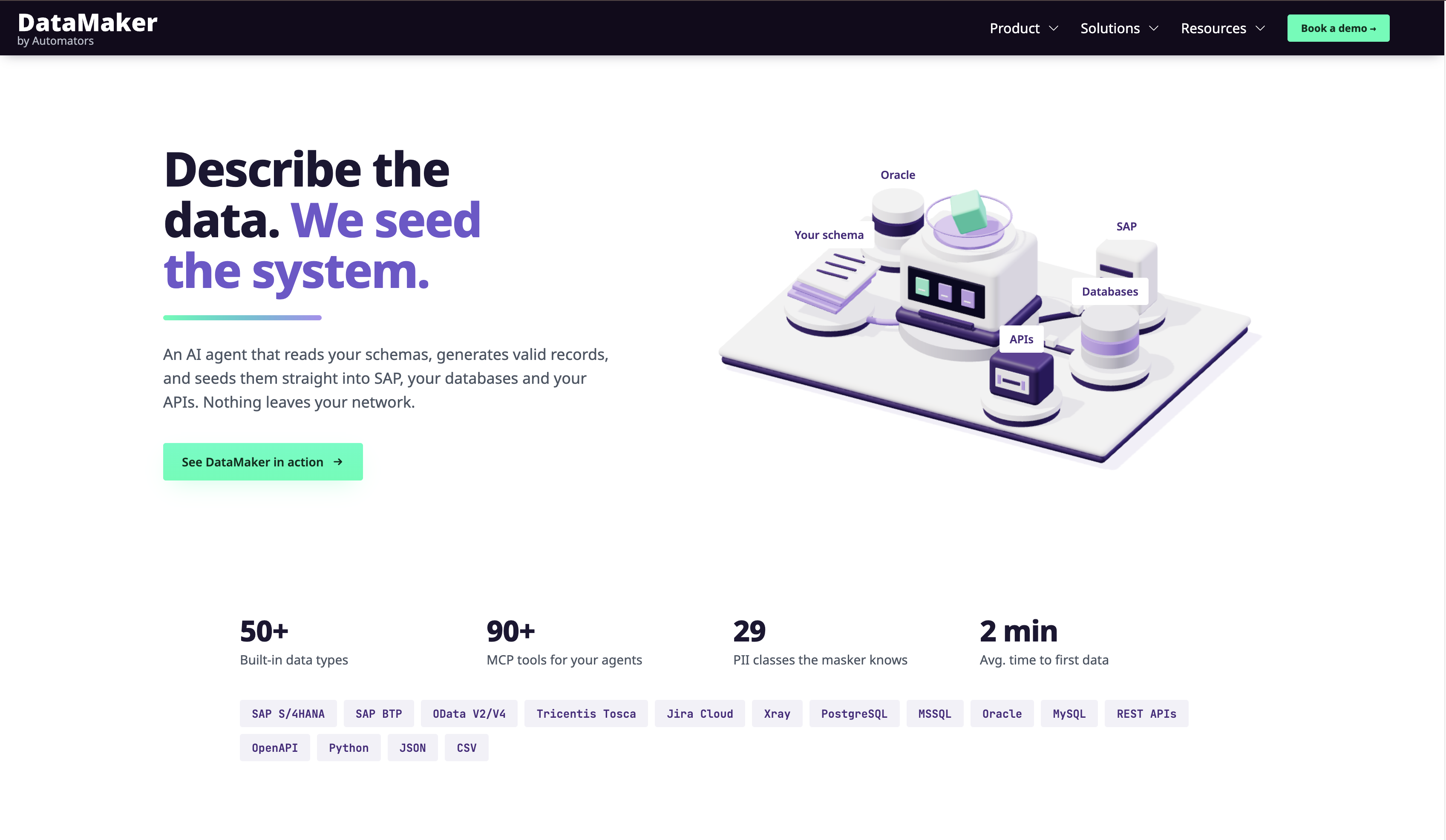
Automators DataMaker is an AI-assisted platform that does three distinct jobs: generate synthetic rows from a template, prepare existing data by transforming and masking it, and deliver the result into a target system with evidence of what landed. It connects to SAP through standard OData services.
Where it differs from most tools on this list is the governance layer. Work can be described as a plan that a human reviews and approves before anything runs, and a generation run writes rows only into the endpoints its approved plan names. Anything unnamed is refused, and the refusal is recorded.
Teams reach it four ways: a chat agent, a template editor, Python scenarios, and a REST API with SDKs. It is listed on SAP's partner site through CNT Management Consulting AG, whose partner Andreas Dörner also sits on the Automators board, so that listing is a partnership rather than independent validation.
Top 5 Features
a. SAP OData connector with metadata discovery, read, and write
The connector lists available OData services, reads entity metadata so you can inspect keys, required properties, navigation relationships, and field constraints, performs filtered reads of real records, and writes records back. Writes may require a CSRF token and session cookies, which the connector's authentication flow handles.
b. Template-based modelling with AI-assisted and scripted fields
A template is a reusable list of fields with per-field generator types. Beyond the standard catalogue it supports derived fields that interpolate other fields, nested objects and arrays, references to other templates, weighted value lists, AI fields described in plain English, and Python-scripted fields.
c. Approval-gated writes with run reconciliation
A plan is reviewed before it runs, and the write-scope check fails closed: a specification naming no endpoint authorises none. After a run, each entity is graded against the approved volume, so the report states what landed, what fell short, and what could not be counted.
d. Masking policies, key maps, and rollback
Per-field rules apply one of five strategies: fake value, hash, reversible tokenisation, redaction, or format-valid fake, with a dry run that previews the result without persisting it. Key maps record which target record each source record created, which is what makes a load reversible.
e. Negative test sets graded in both directions
Constraints declared on a field produce rows that each break exactly one rule, loaded and then graded both ways. The report separates a target that accepted a row it should have rejected from one that rejected a row it should have accepted, and one violation per row means every rejection can be attributed.
Pros
- Covers generation, preparation, and delivery rather than only one of the three
- Approval-gated write scope and per-entity run grading give an evidence trail by default
- Python scenarios are REST-triggerable, so they run inside GitHub Actions, GitLab CI, and Jenkins
- Exposes MCP endpoints, so external MCP-compatible assistants can drive it from the editor
- Run-level reconciliation, with shortfall and uncounted reported separately, is rare in this category
Cons
- The SAP export tool accepts one record object per call and does not split batches, so high-volume loads need a scenario or a chained data job rather than one bulk push
- No template versioning, so reviewed definitions belong in source control for reproducible fixtures
- No generic statistical distribution options across field types; weighted value lists and Python cover that instead
- Not a landscape tool, and a younger product with a smaller SAP reference base than the certified incumbents here
Pricing
Licensed per core system, where one SAP landscape counts as one system across dev, QA, and production. AI usage is metered separately as credits; generation, scenarios, and data jobs are unlimited. There is no free tier. Contact sales for a quote.
Verdict
DataMaker suits SAP QA teams that want synthetic and prepared data they control, delivered into SAP through OData, with a record of what was approved and what actually landed. The governance layer is the reason to shortlist it: approval-gated writes, run grading, reversible loads, and negative testing are hard to assemble from a generation-only tool.
It is not the right tool if your problem is landscape management. For lean client refreshes, in-place anonymisation, or full system copies, pair it with one of the tools below or choose one instead. To see the workflow in practice, read our step-by-step guide to generating SAP test data.
2. GenRocket
GenRocket is an enterprise test data automation platform built on a component model: a Domain is a data entity, Attributes are its elements, Generators produce values for each Attribute, Receivers format and deliver the output, and a Scenario ties them together with a loop count that sets volume. Alongside generation it also ships In-Place Masking and Data Subsetting and Masking modules for working with existing data.
The library is the headline. GenRocket's own company profile states 742 generators and 105 receivers, with custom ones available on request. Generators can run randomly or sequentially, be seeded to reproduce the same data, calculate values, create permutations, produce edge cases, and blend in data queried from a database or spreadsheet.
For SAP specifically, GenRocket's help documentation names three delivery paths: a flat file you upload into SAP, API requests through SAP Gateway using OData or REST, and JDBC writing records directly into the SAP HANA database. Their documentation notes that the JDBC option requires a HANA Enterprise License.
Top 5 Features
a. Component-based data design
Domains, Attributes, Generators, Receivers, and Scenarios are configured rather than coded, and Scenarios maintain referential integrity across related Domains. GenRocket states that a Scenario launches in under 50 milliseconds and that most functional test cases generate in under 100 milliseconds, which is what makes runtime generation during a test viable.
b. A large parameterised generator library
742 generators and 105 receivers, per GenRocket's own figures. The practical effect is that most field types a tester needs, including locale-specific and format-constrained ones, already exist as a configurable component instead of needing custom code.
c. Three SAP delivery paths
Flat file for batch loading against SAP templates, API through SAP Gateway for real-time provisioning during a test run, and JDBC for bulk inserts straight into HANA tables. GenRocket's SAP material uses populating the ACDOCA Universal Journal table as its worked JDBC example.
d. Self-service test data design
The G-Self-Service module lets testers build their own Test Data Cases through G-Cases, G-Rules, G-Queries, G-Stories, and G-Epics, setting which Domains run, in what order, at what row count, and to which Receivers. The aim is to remove the dependency on a central data team for routine requests.
e. Enterprise governance controls
Centralised scenario management, role-based access control, audit logging, and version control for test data scenarios, so large QA organisations can manage who generates what across environments.
Pros
- One of the largest generator and receiver libraries in the category
- Three distinct SAP delivery paths, so you can match the integration to the test
- Built for runtime generation inside CI/CD rather than static datasets
- Seedable generators produce repeatable datasets for regression work
- Can blend synthetic data with data queried from production or other sources
Cons
- The JDBC path writes directly into HANA tables rather than through SAP's application layer, and GenRocket's own documentation notes it requires a HANA Enterprise License
- Design-driven modelling front-loads real effort, and output quality depends entirely on model quality
- No SAP client refresh or system copy, so landscape-level work still needs SAP-native tooling alongside it
- Headline performance and cost figures (100 million records in 30 minutes, 10x faster, roughly 10% the cost of alternatives) are vendor-published without stated methodology
Pricing
Not published. Enterprise licensing only, with no public tier or per-user pricing. GenRocket's own materials claim its cost is roughly 10% of alternative TDM solutions and 65% less than homegrown tooling, without naming price points.
Verdict
GenRocket is the strongest pick on this list if your constraint is breadth and volume of generated data and you are willing to invest in modelling. The component library means you rarely write custom generation code, and the sub-100-millisecond scenario launch is what allows a test to ask for fresh data mid-run instead of relying on a fixture.
The trade-off is that GenRocket does not know SAP the way a certified SAP tool does. It delivers into SAP competently through three paths, but it does not model SAP business objects, document flows, or module dependencies for you. Teams needing that depth usually pair it with an SAP-native tool.
3. EPI-USE Labs Data Sync Manager (DSM)
Data Sync Manager is an SAP test data provisioning suite that copies and masks data between and within SAP ABAP-stack landscapes. Rather than one tool, it is a set of components: Client Sync, Object Sync, Data Secure, Data Locate, Object Extractor, and System Builder for provisioning a data-free system shell matching production.
Its distinguishing asset is the Business Object Library, which EPI-USE describes as built over more than 30 years. That library is what lets Object Sync copy a sales order or a payroll cluster and bring the dependent data and document flows with it, instead of leaving an orphaned record behind.
DSM is certified by SAP for "Integration with RISE with SAP S/4HANA Cloud." Data Secure, the masking component, states coverage of more than 1,300 SAP fields, using pre-defined rules for non-key fields in client-dependent tables through mapping table look-ups, constant values, or field clearing.
Top 5 Features
a. Client Sync for lean client creation
Creates a functional SAP client as an alternative to a full system refresh, filtered by criteria such as date ranges, organisational units, or functional slices. This keeps QA aligned with production while avoiding the storage footprint and downtime of a full copy.
b. Object Sync for business-object-level copying
Copies specific business objects on demand, from a single object up to a full range, with the Business Object Library preserving dependent data and document flows. EPI-USE names HCM, FI, and SD coverage, including complex cluster data such as CATS and Payroll, and claims production issues can be recreated 90% faster.
c. Data Secure masking
More than 1,300 SAP fields covered by pre-defined rules, applying randomly assigned synthetic values with pattern breaking. It can mask a whole client, runs standalone or alongside Client Sync, and rules can be extended. Customer accounts on EPI-USE's site report 2TB anonymised in six hours and a scrambling cycle moving from six weeks to five days.
d. Data Locate for finding the right test data
Identifies and selects datasets for automated testing using semantic understanding of the data, which addresses a problem most tools on this list ignore: not creating data, but finding the records in an existing system that match a test's preconditions.
e. SAP certification and migration tooling
The RISE with SAP S/4HANA Cloud integration certification matters for teams moving to SAP-hosted environments, and Object Extractor transfers complex SAP data in real time for uses such as loading the S/4HANA Migration Cockpit or populating test automation sheets.
Pros
- The deepest SAP-native object awareness on this list, backed by the Business Object Library
- SAP-certified for integration with RISE with SAP S/4HANA Cloud
- Smaller test clients reduce both infrastructure cost and refresh time
- Unusually strong HCM and Payroll coverage, including cluster data
- SAP GUI-style experience, which shortens adoption for Basis and functional teams
Cons
- Scoped to SAP ABAP-stack landscapes, so non-SAP systems in an end-to-end flow need separate tooling
- Copies and masks existing data; it does not generate synthetic rows for cases production never contained
- Pre-defined masking rules cover non-key fields in client-dependent tables, so key fields and custom Z-tables need rule work, and setup assumes SAP and Basis expertise on the team
- Headline figures such as "90% faster" and the published customer timings are vendor and customer accounts without stated methodology
Pricing
Custom enterprise pricing, not published. Typically sold as part of a broader SAP landscape optimisation or test data management engagement.
Verdict
DSM is the right choice when your test data problem is fundamentally an SAP landscape problem: clients that are too big, refreshes that take too long, and production data that cannot sit unmasked in QA. Nothing else here understands SAP object relationships as well, and for HCM and Payroll it is close to unmatched.
Its boundary is clear and the vendor does not hide it. DSM moves and protects data you already have. If your tests need edge cases that production never produced, or your end-to-end flow crosses into non-SAP systems, you will need a synthetic-first tool alongside it.
4. K2view Agentic Test Data Management
K2view's test data product is now called Agentic Test Data Management, shortened to K2tdm, and sits inside the K2view Data Product Platform. Earlier material refers to it as Test Data Fabric, so older reviews may describe a differently named product.
Its architecture is the differentiator. Rather than working at the system or table level, K2view organises data into Micro-Databases, one per business entity such as a customer, order, or supplier, each holding that entity's data gathered from every source system. Subsetting then means selecting entities by business attributes through dropdown rules rather than writing SQL.
Masking happens in flight as data is ingested, using a library of masking functions plus custom options, and can be persistent or dynamic with role-based access control. K2view states that referential integrity is preserved and that unstructured content such as documents and images can be masked too.
Top 5 Features
a. Micro-Database per business entity
Each entity gets its own small database containing all of its related records from across source systems. Because the entity is the unit of work, a provisioned dataset arrives complete and referentially intact without running a system-level copy.
b. Business-rule subsetting without SQL
Testers filter entities using business attributes through a rules interface. K2view's own example is selecting 1,000 customers by location, purchase history, and loyalty status, which is the kind of request that would otherwise become a ticket for a data engineer.
c. In-flight masking, persistent or dynamic
Sensitive data is discovered and masked as it moves, with referential integrity maintained across the dataset. Masking can be applied at rest or in flight, or served dynamically with role-based access control, and extends to unstructured content.
d. Four synthetic generation methods
Rules-based generation, AI and GenAI lookalike data modelled on real distributions, masking-based generation, and entity cloning. Datasets can blend masked production data with synthetic data, which is useful when part of a flow exists in production and part does not.
e. Time Machine, reservation, and self-service
Time Machine snapshots a dataset and rolls it back to a known-good state. Reservation stops two testers overwriting the same records. Both are served through a self-service portal and APIs for CI/CD, and the platform deploys on-premise, in cloud, or hybrid.
Pros
- Genuinely hybrid: subsetting, masking, and four synthetic methods in one platform
- The entity model keeps referential integrity across SAP and non-SAP systems in a single dataset
- Time Machine and data reservation solve real multi-team QA collisions that most tools ignore
- Self-service portal plus APIs, so routine requests do not queue behind a data team
- Deploys on-premise, cloud, or hybrid
Cons
- K2view's own SAP material names no SAP-specific connector, API, or certification; SAP ECC and S/4HANA are treated as source and target systems among many
- Entity modelling is substantial upfront work and usually needs data engineering involvement
- A platform-scale deployment, which is heavy if the need is one SAP module's QA data
- Product naming has shifted from Test Data Fabric to K2tdm to Agentic TDM, so published reviews may not describe the current product
Pricing
Enterprise custom pricing, not published. Typically licensed as a platform with implementation and consulting services alongside it.
Verdict
K2view is the strongest option here when your end-to-end test crosses several systems and SAP is only one of them. The Micro-Database model is the cleanest answer on this list to the problem of a test needing one customer's complete, consistent footprint across SAP, CRM, and billing at the same time.
That strength is also the cost. You are adopting a data platform, with the entity modelling and specialist skills that implies, and K2view does not claim SAP-specific depth. For a team whose problem is SAP alone, this is more platform than the problem requires.
5. Delphix (Perforce)
Delphix, acquired by Perforce in early 2024, approaches test data from the database layer. Continuous Data captures a compressed copy of a source database and provisions lightweight virtual databases from it in minutes, so ten testers can each have a full environment without ten
full copies of storage.
Continuous Compliance handles masking, with sensitive data discovery and deterministic masking so the same input produces the same output across environments. For very large estates, Hyperscale Compliance is positioned for datasets above 10TB with throughput starting at 2 billion records per hour, and since September 2025 Delphix AI has added prompt-based synthetic data generation to the platform.
Delphix supports SAP, but it is worth reading the fine print. SAP HANA virtualisation covers HANA 2.0 SPS 04 through SPS 07, and SAP ASE is a standard masking connector while SAP HANA 2.0 masking is a Select or Premium connector requiring separate installation.
Top 5 Features
a. Virtual database copies
Provisions a full virtual dataset in minutes from a compressed source copy, with storage consumption a fraction of a physical clone. This is the capability Delphix is known for and it remains the fastest route to many parallel non-production environments.
b. Masking with sensitive data discovery
Built-in discovery profiles a source to find sensitive fields, and masking includes deterministic options so a given value maps consistently across systems. This matters for SAP modules such as HR and finance where the same person appears in several tables.
c. Refresh, rewind, and branching
A virtual dataset can be refreshed to current production state, rewound to an earlier point, or branched so two test streams diverge from the same baseline. Rewind in particular suits destructive testing, where resetting state is otherwise the slow part of the cycle.
d. Broad source coverage beyond SAP
Oracle, SQL Server, PostgreSQL, Db2, MongoDB, Cassandra, CockroachDB, Snowflake, and Databricks, across AWS, Azure, and GCP. If SAP sits inside a wider estate, one platform can cover SAP and its surrounding systems.
e. AI-generated synthetic data
Since Delphix AI arrived in September 2025, the platform generates synthetic data from a prompt, tailored to region, culture, and industry, using a bring-your-own-LLM model that Perforce describes as running inside your own perimeter. Perforce states it preserves referential integrity across datasets and can produce edge-case and negative-scenario data.
Pros
- Fastest provisioning model here: virtual environments in minutes, with large storage savings
- Rewind and branching make destructive and iterative testing cheap to reset
- Mature masking with discovery and deterministic options for regulated industries
- Genuinely broad source coverage, including NoSQL and cloud warehouses
- No longer masking-only: Delphix AI adds prompt-based synthetic generation inside the same platform
Cons
- Delphix's own SAP HANA support matrix lists partitioned HANA databases, scale-out source and target environments, point-in-time recovery during provision or refresh, and V2P as unsupported; large S/4HANA installations often use those configurations
- Hyperscale Compliance, the answer for 10TB-plus masking, does not list SAP HANA among its supported sources
- SAP HANA masking is a Select or Premium connector requiring separate installation rather than part of the standard set
- Works at the database layer, so SAP business-object relationships and application-layer validation are not modelled
Pricing
Enterprise pricing, not publicly listed, and usually packaged within a broader test data or data platform contract.
Verdict
Delphix earns its place when the bottleneck is environment provisioning. If your teams wait days for a refresh and your storage bill reflects a dozen full copies, virtualisation addresses that directly, the masking is mature enough for regulated work, and Delphix AI means synthetic generation is no longer a gap you have to fill elsewhere.
Check the HANA support matrix against your actual landscape before committing. The unsupported configuration list is specific and includes setups common in large S/4HANA estates, and the Hyperscale path that solves very large masking jobs does not currently list HANA. For SAP running on Oracle, or for SAP alongside a wider mixed estate, those caveats matter much less.
How to Choose a Third-Party SAP Test Data Solution
| Scenario | Best Type of Tool | Why Third-Party Tools Are Needed |
| You need stable, repeatable data for automation | Synthetic generators (DataMaker, GenRocket) | Automation requires fresh data that does not get consumed. |
| You want compliant data without using production records | Synthetic-first tools (DataMaker, GenRocket) | Removes PII from the test estate rather than masking it. |
| Your CI/CD pipeline needs on-demand data | API-triggerable generators (DataMaker, GenRocket) or self-service platforms (K2view) | Native tools cannot deliver data instantly or repeatedly. |
| You must test edge cases not found in production | Synthetic generators (DataMaker, GenRocket) | Production data rarely includes exceptions or error conditions. |
| Your processes span SAP plus CRM and custom apps | Entity-based platforms (K2view) | Keeps one business entity consistent across every system in the flow. |
| Your QA clients are too large or refresh too slowly | SAP-native provisioning (EPI-USE DSM) or virtualisation (Delphix) | Both shrink the footprint; DSM by subsetting, Delphix by virtualising. |
| You need SAP object and document-flow fidelity | SAP-certified tools (EPI-USE DSM) | Only SAP-aware tooling preserves dependent data and document flows. |
| You must prove what was approved and what landed | Tools with run-level evidence (DataMaker) | Audit questions need a record, not a successful job status. |
Third-party SAP test data tools offer flexibility, scalability, and automation-ready data that native tools cannot deliver. They are ideal for teams operating in fast-paced environments, running CI/CD pipelines, or requiring synthetic and edge-case data that goes beyond what production systems can provide.
Final Words
Choosing the right SAP test data approach depends entirely on which problem you actually have.
If the problem is content, meaning you need data that production never contained, a synthetic generator fits. If it is fidelity, meaning you need real SAP objects with their document flows intact, an SAP-certified provisioning tool fits.
If it is provisioning speed, virtualisation fits. If the flow crosses several systems, an entity-based platform fits. Most large SAP estates end up running two of these rather than one, and that is a reasonable outcome rather than a failure to choose.
By understanding your testing needs and selecting the right tool, you can improve test coverage, reduce environment issues, and enable faster, more reliable SAP delivery cycles.