Testing SAP applications is never simple. Between large data volumes, cross-module dependencies and strict rules about what may leave production, preparing SAP test data often becomes a job on its own.
Most teams end up copying production, which drags real customer records into systems never secured for them, or scrambling it with a blanket rule, which protects the data and breaks the relationships that made it useful.
There is a third way, and this guide walks through it end to end with DataMaker, the platform featured on SAP's official website through CNT Management Consulting AG. Seven steps, from first login to a workflow that runs itself in CI.
7 Simple Steps to Generate SAP Test Data with DataMaker AI
Step 1: Connect DataMaker to your SAP system
Sign in at datamaker.automators.com. If your workspace isn't licensed yet, you'll land on a License required screen instead of the workspace: click Email Automators, send the workspace ID shown there, and they'll switch it on. There's no license key to enter.
Once you're in, open Connections in your active project and choose the SAP S/4HANA connector.
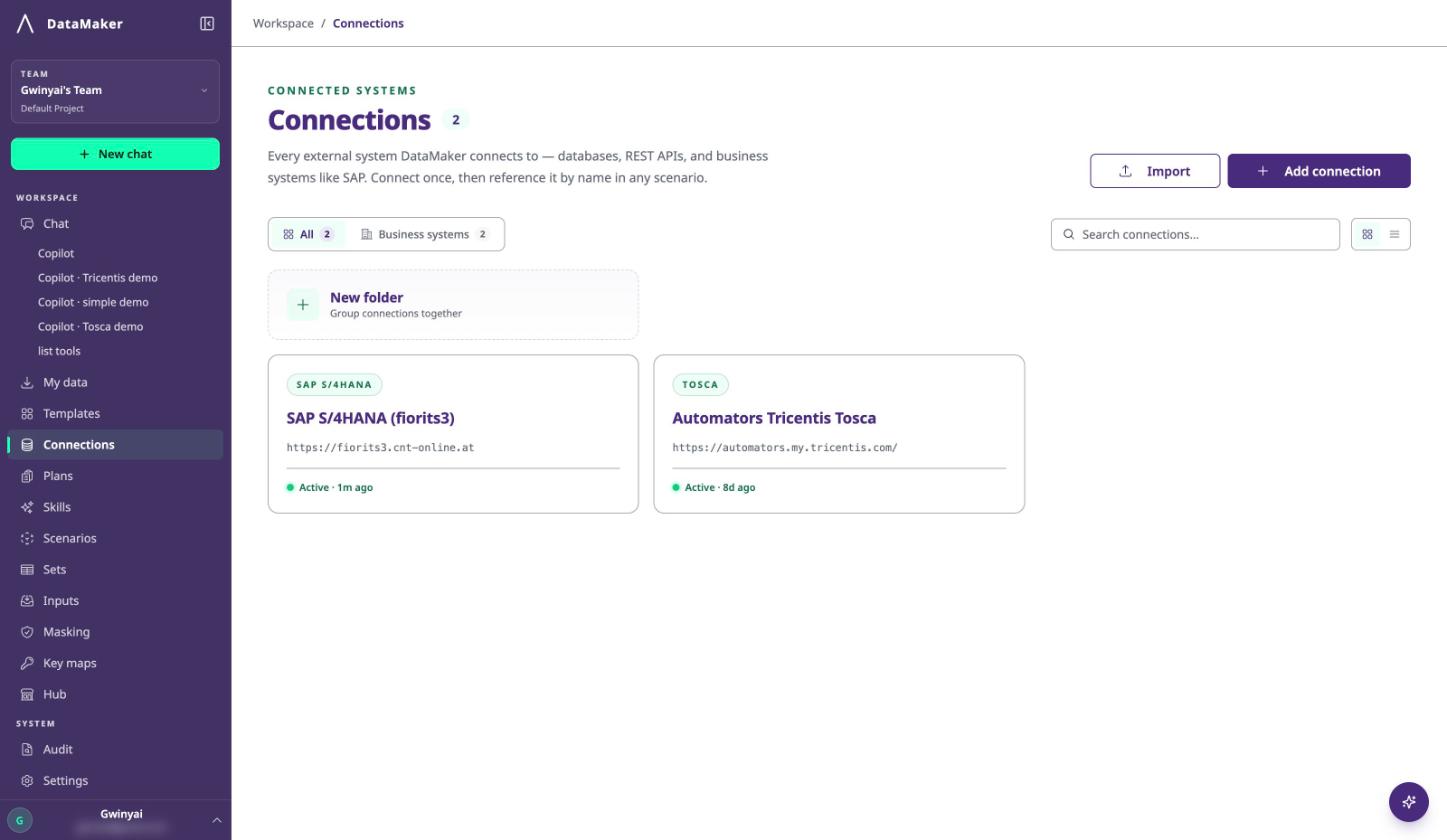
Use that connector rather than the generic REST API one. Both can reach an OData service, but only the SAP connector reads $metadata and inherits system credentials across the services beneath it, which is what makes the next step possible. Configuring SAP as a plain REST endpoint means building every call by hand.
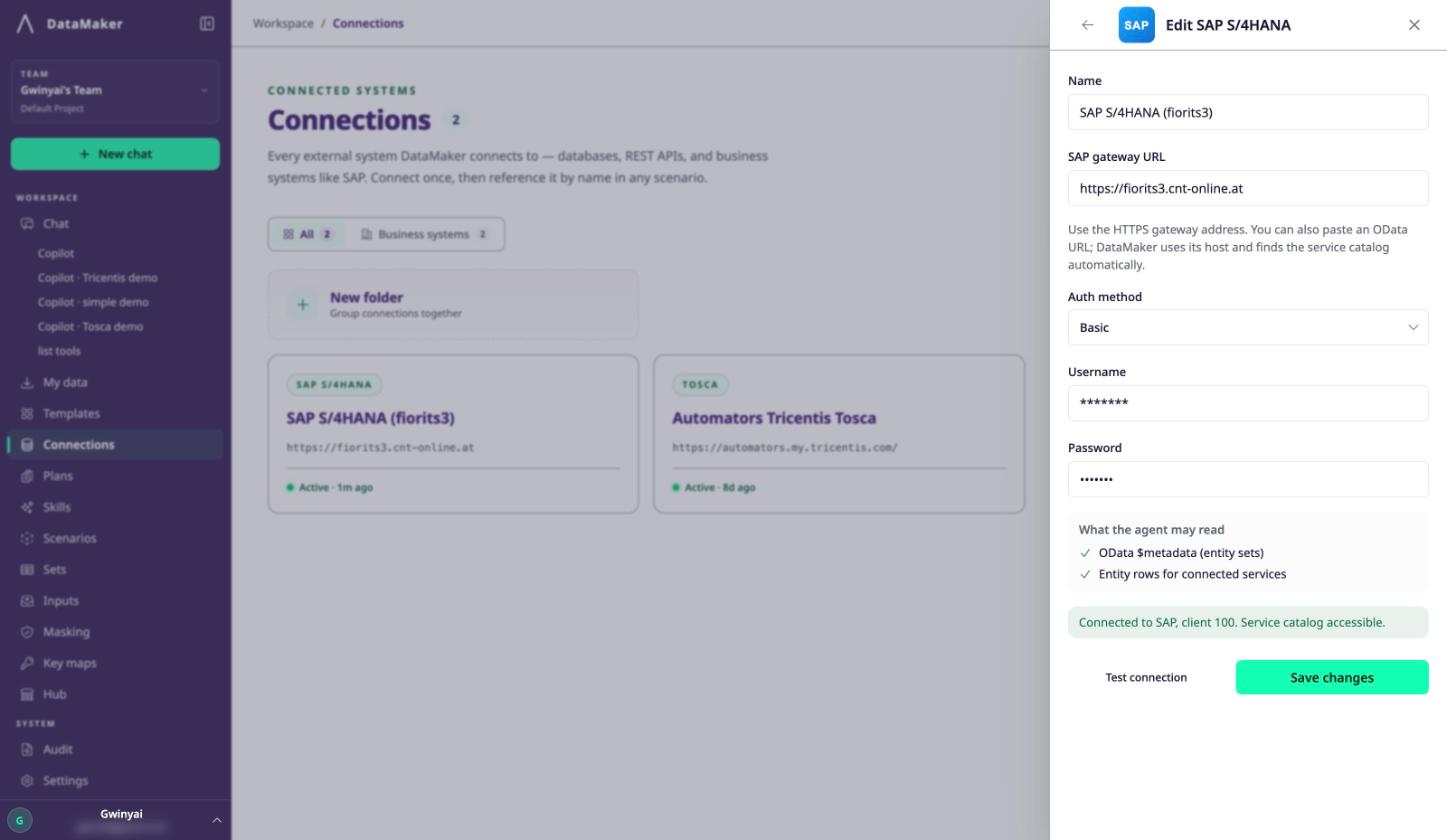
You'll need the gateway origin and credentials from your SAP administrator. The connector supports Basic (username and password), OAuth 2.0 (client ID, client secret and token URL), or None.
Two things to get right while you're here:
-
Name sandbox and production origins so nobody can confuse them.
Every safeguard later assumes the target is named correctly.
-
Test access and list the available services before moving on.
If the host can't reach the gateway or doesn't trust its certificate chain, find out now rather than three steps later.
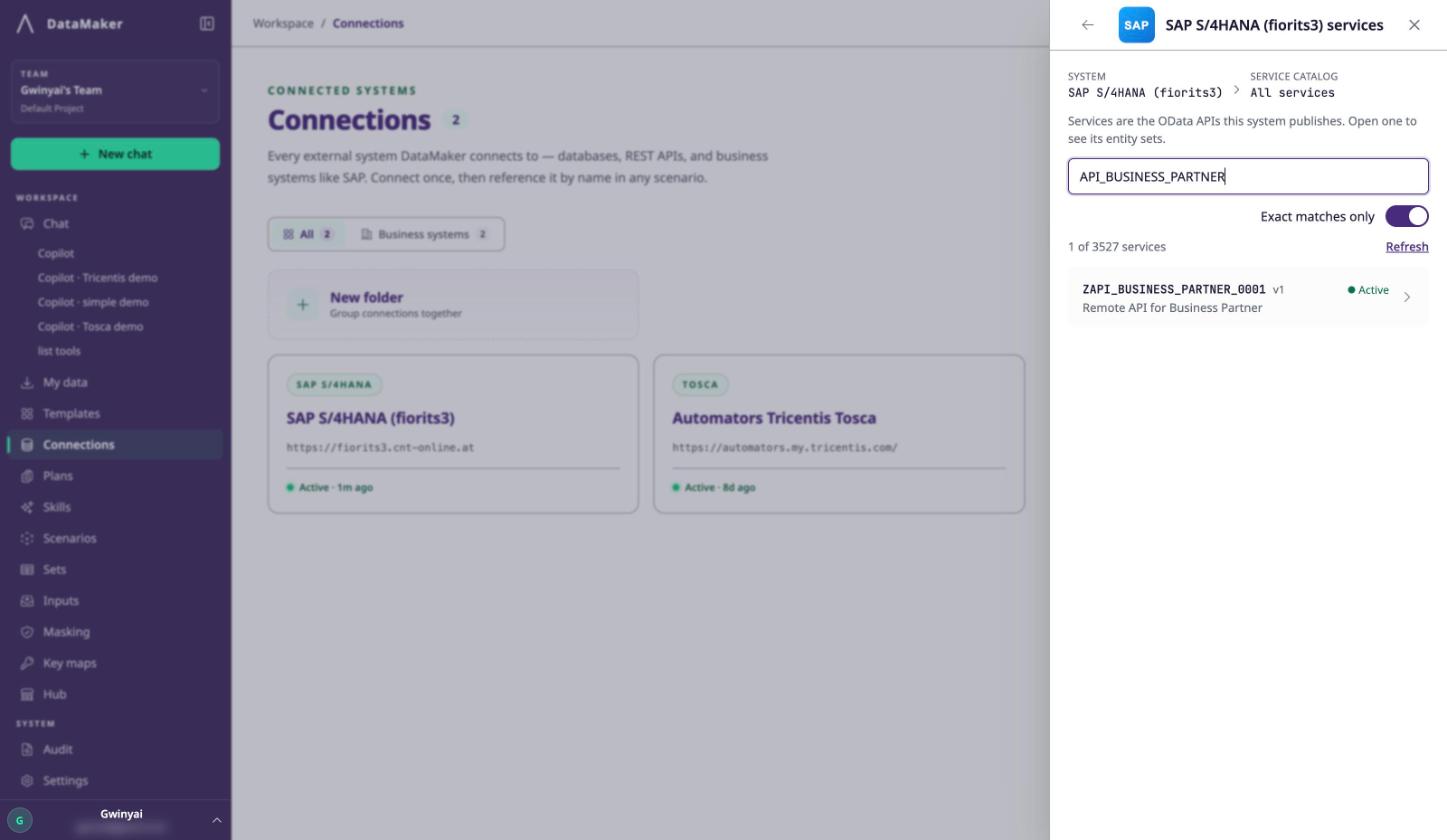
Step 2: Inspect the entity before you generate anything
Select the service you need and inspect its OData metadata: the entity's keys, its required properties, its navigation relationships and its field constraints.
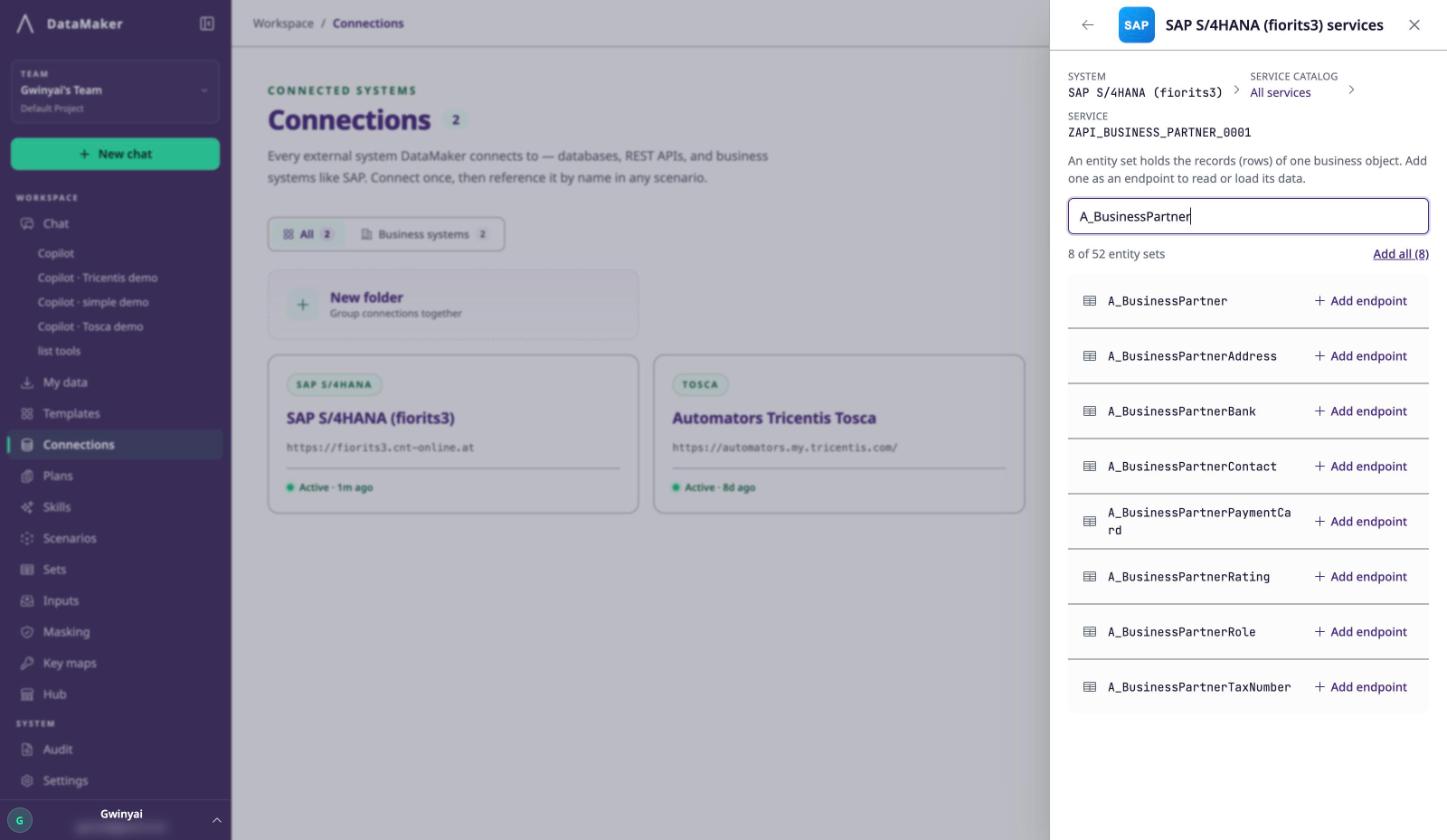
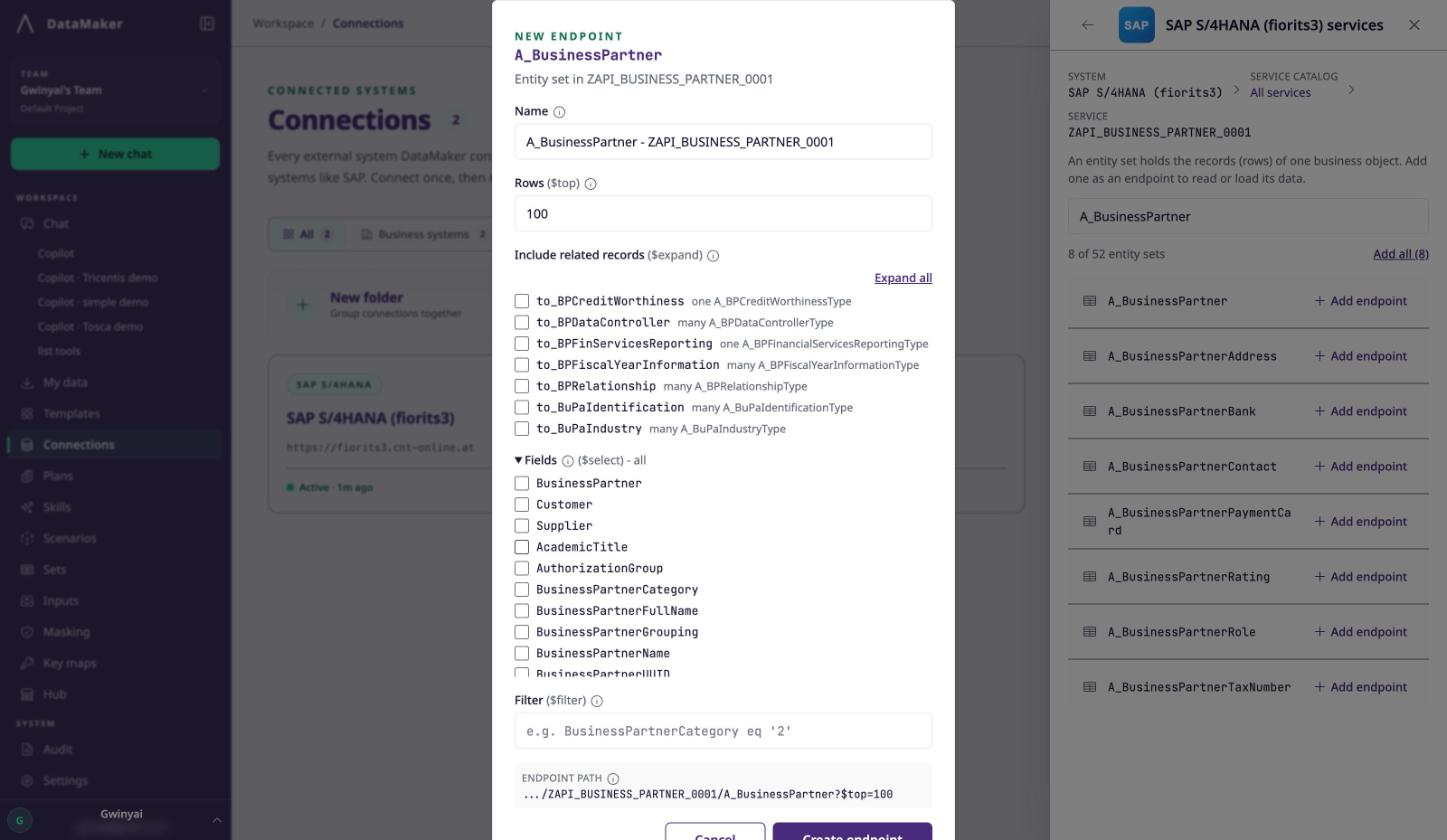
This step exists because SAP data is connected. A sales order means nothing without the business partner it belongs to, the material it references and the pricing conditions behind it.
Break one of those links and the test fails for a reason that has nothing to do with the code you were testing, and somebody spends a morning working out which.
Reading the metadata first is what prevents the two most common failures: a required field nobody knew about, and a relationship that has to exist before your record will be accepted.
You can do this in chat:
Inspect the Business Partner entity in our S/4 sandbox and propose a template for ten test partners. Show required fields, relationships and unresolved values before writing records.
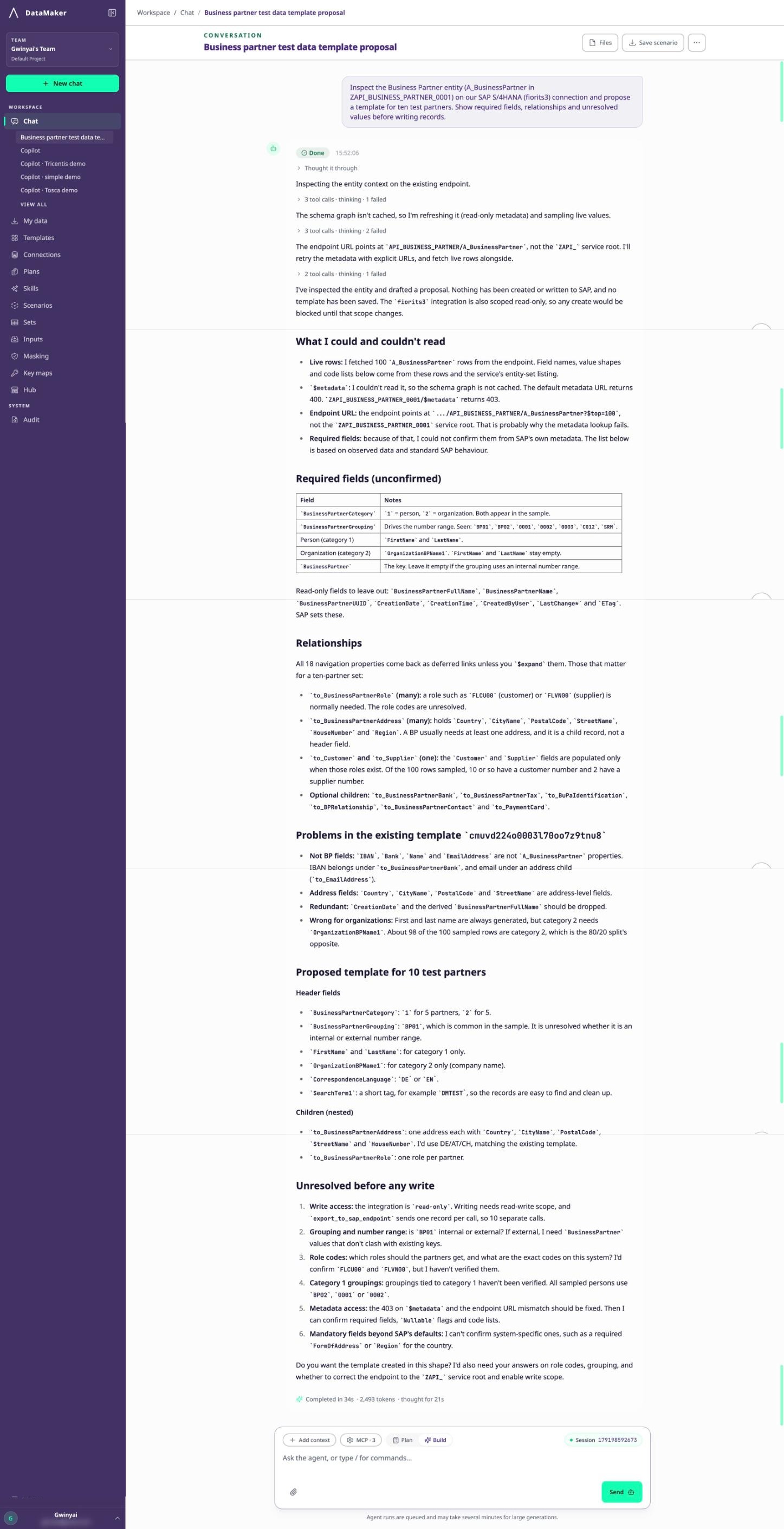
One honest caveat: metadata tells you the shape SAP expects. It doesn't tell you the business rules your configuration enforces. Those surface when you write, which is why Steps 5 and 7 exist.
Step 3: Build the template
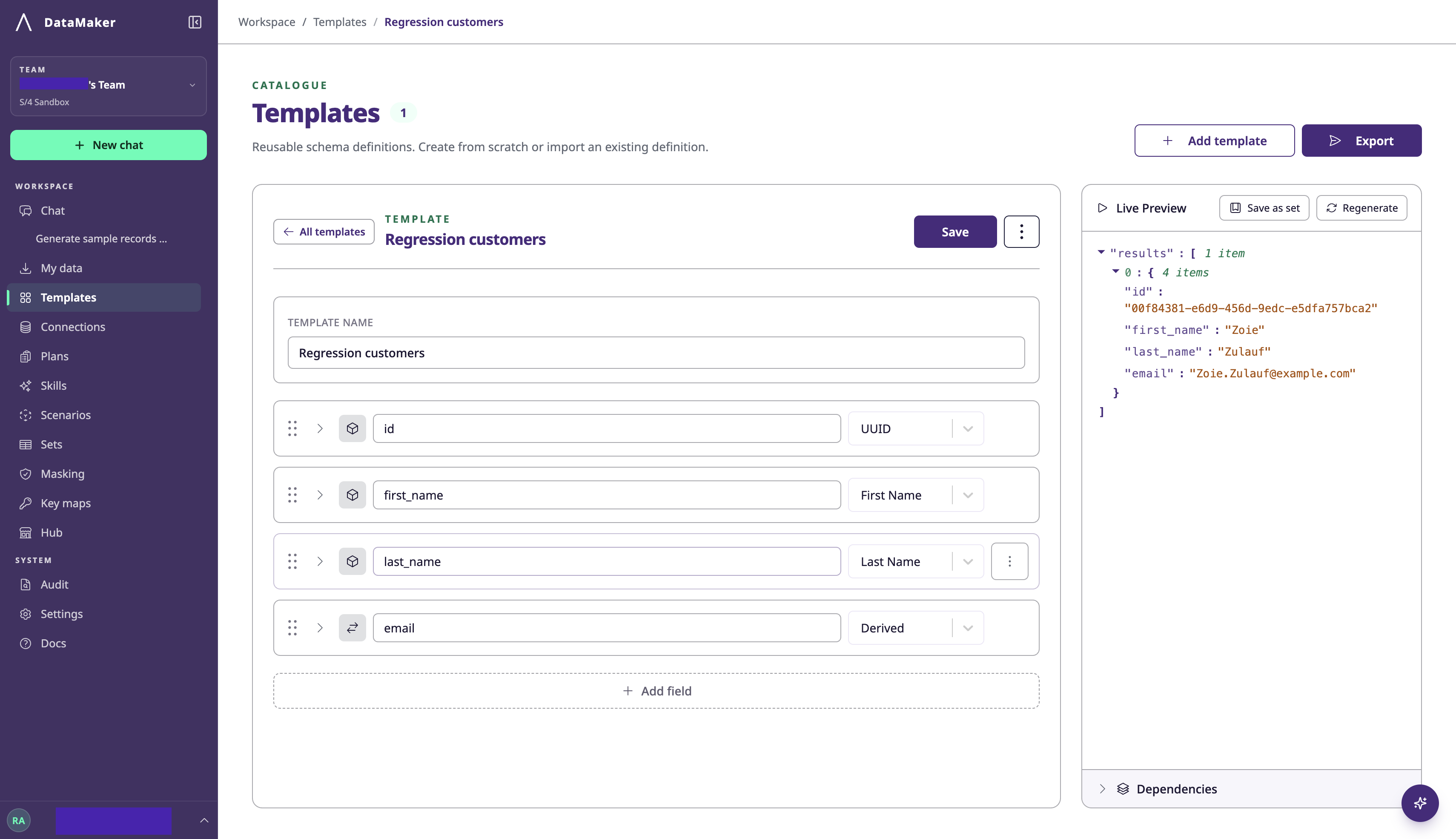
A template is the blueprint every later run uses, and you can create one three ways.
From metadata. Point the agent at the connection and ask for a template for the entity. It maps the fields and picks a generator for each one, and you refine from there.
From a sample. Upload a JSON payload or CSV and ask DataMaker to infer the structure.
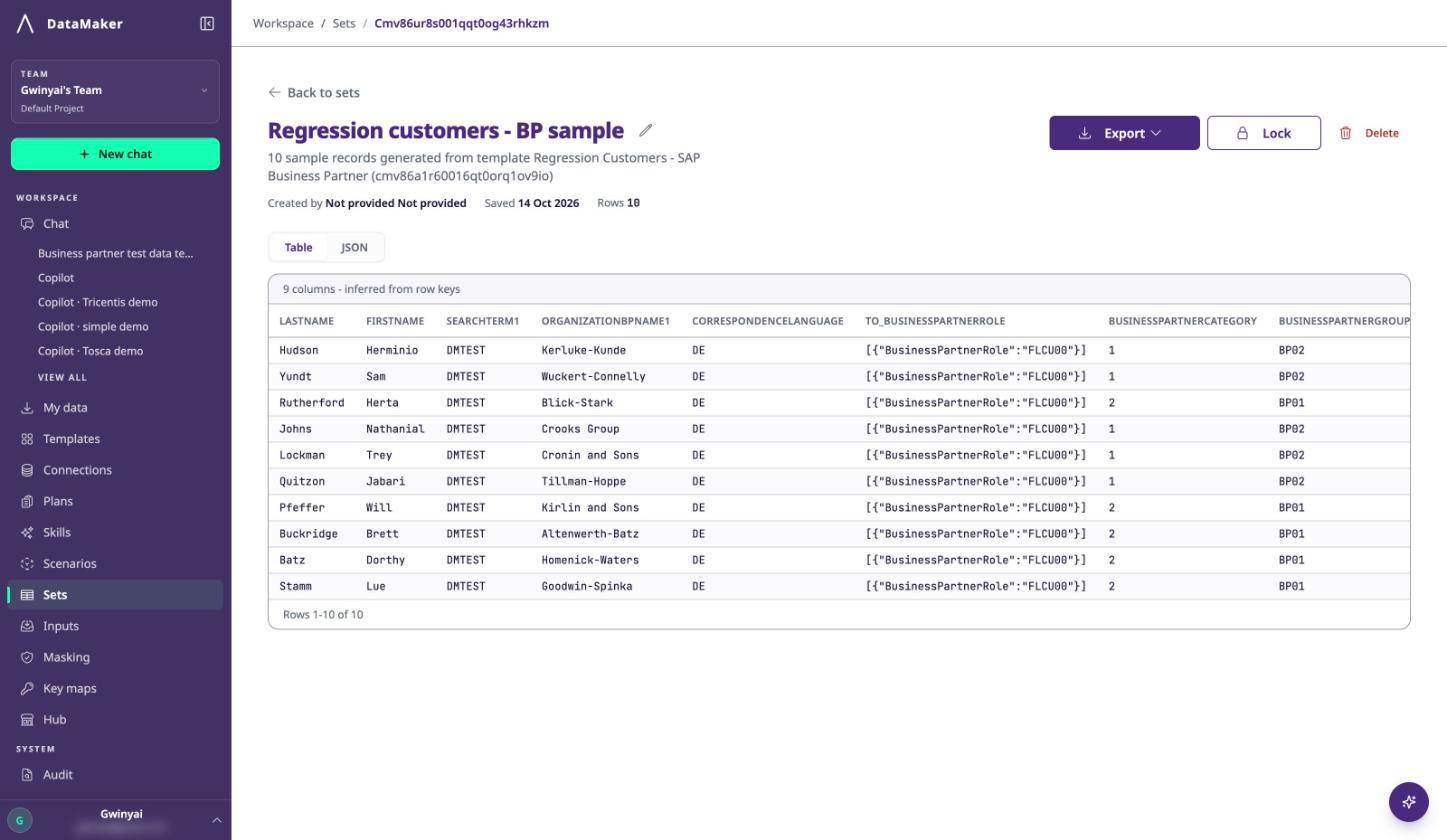
By hand. Open Templates, click Add template, name it and add fields yourself. The Live Preview panel regenerates a sample record as you edit, so you can see the payload take shape; Save as set keeps a generated sample for reuse.
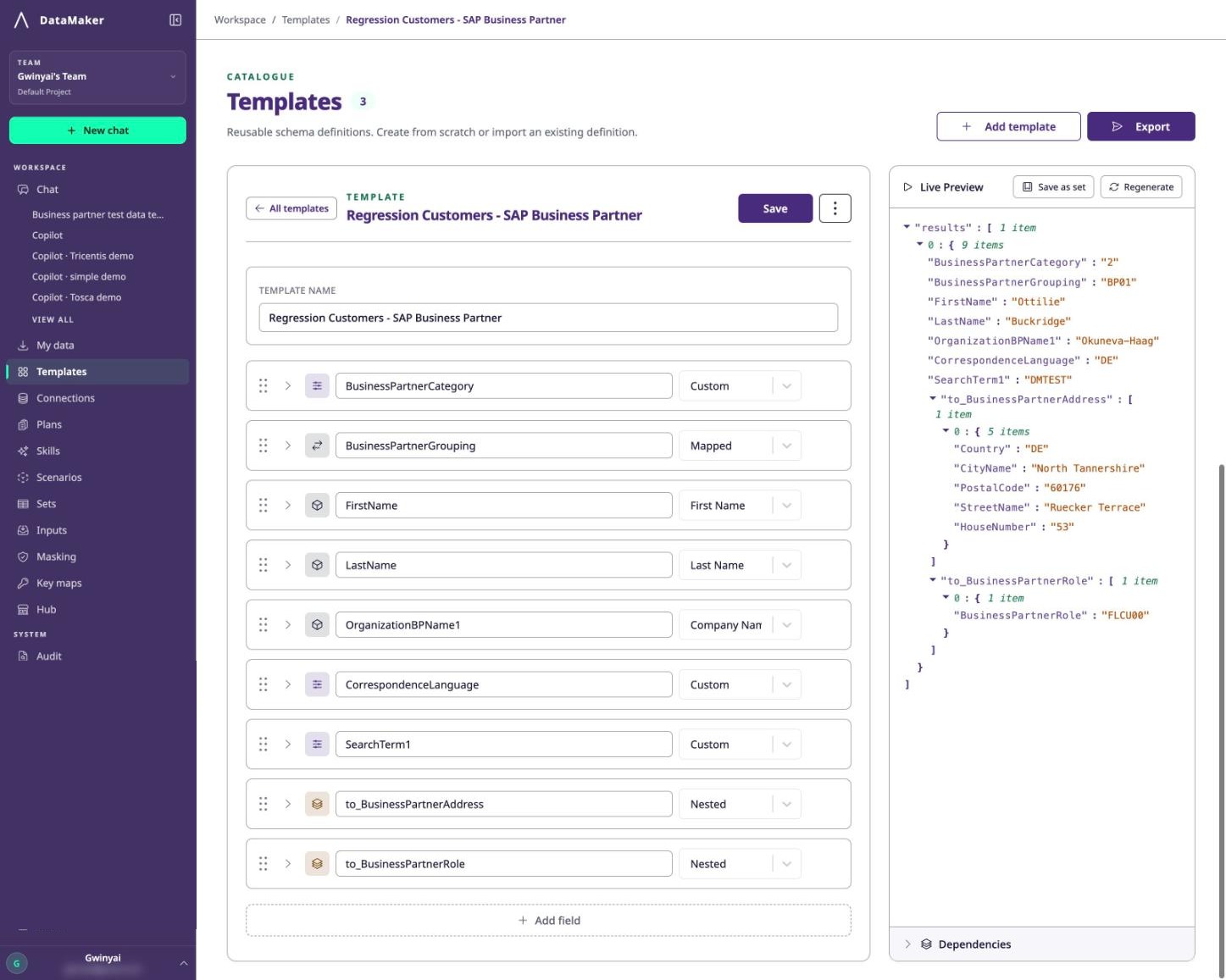
The field catalogue covers identity, dates, addresses, contact details, business fields and financial identifiers such as IBAN, plus dynamic types: Derived for interpolating other fields, Nested and Template for parent-child structures, Custom for weighted value pools, AI for prompt-generated values and Python Script for logic you write yourself. The catalogue varies by release, and GET /fields returns what your installation exposes.
Four things that matter for SAP payloads specifically:
- Use the catalogue name, not your column name. First Name is the generator; first_name is what you call the column.
- Build parent-child structures with Nested or a Template reference, using foreignKey where the child inherits the parent's key. Generate a multi-row sample and confirm the keys agree.
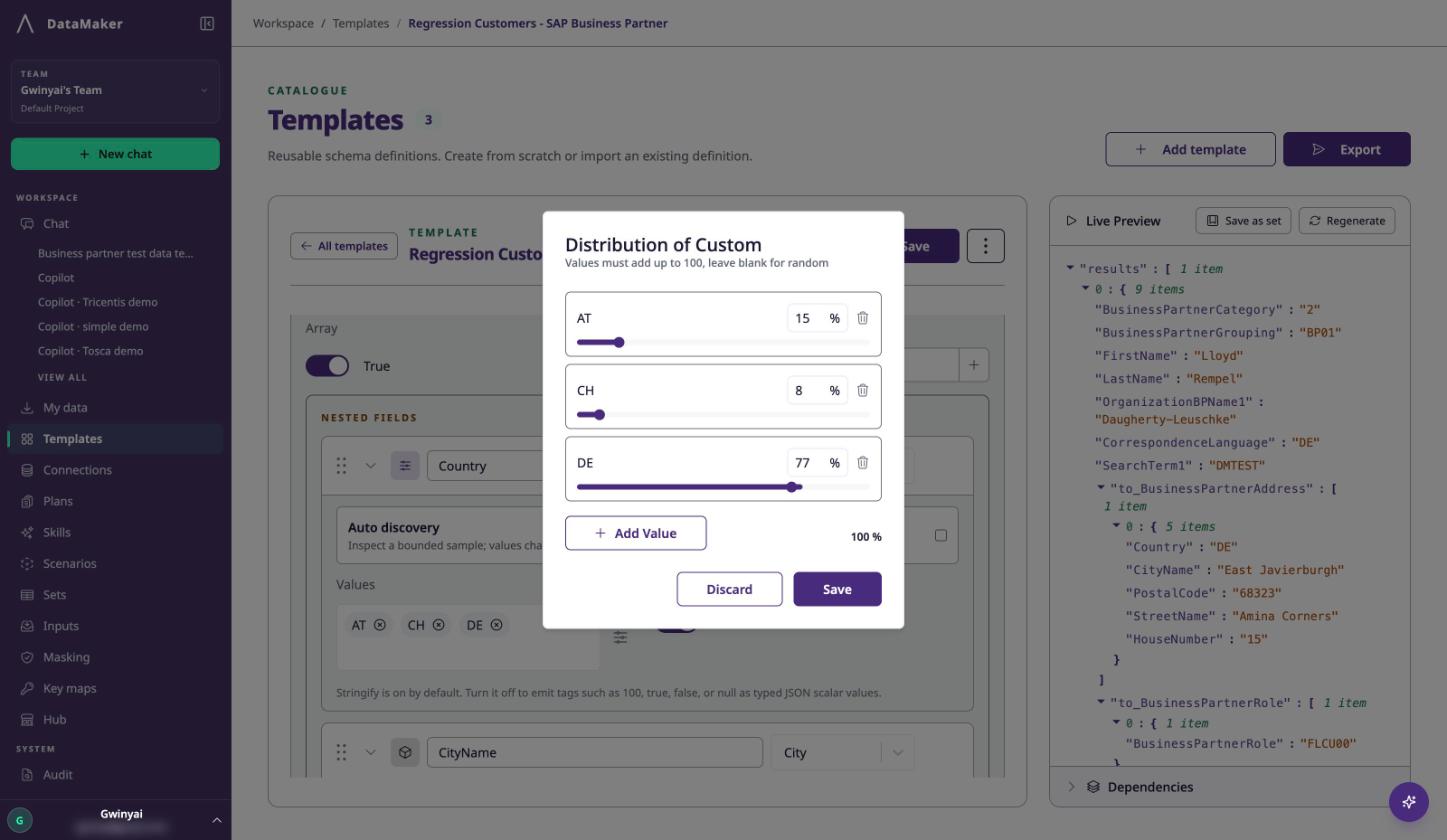
- Weight realistic value spreads with Custom. A country field weighted {"DE": 10, "AT": 2, "CH": 1} gives roughly 71% German records instead of an even split. There's no generic gaussian or pareto option; for a specific statistical distribution, write it in a scenario.
- Check the object shape the endpoint expects. The receiving service decides whether it wants an object, an array, or an OData results wrapper.
Step 4: Generate a small sample and read it properly
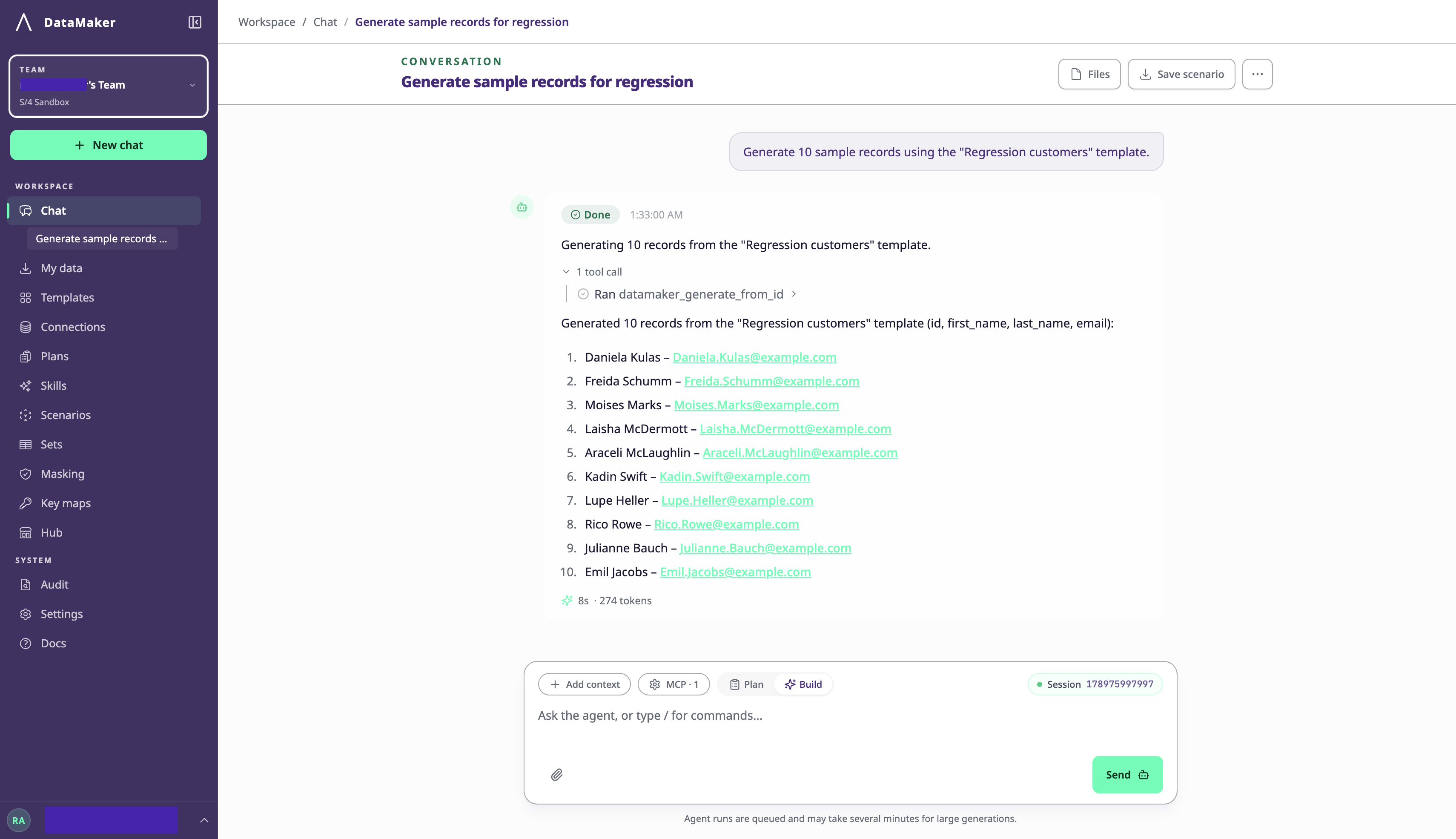
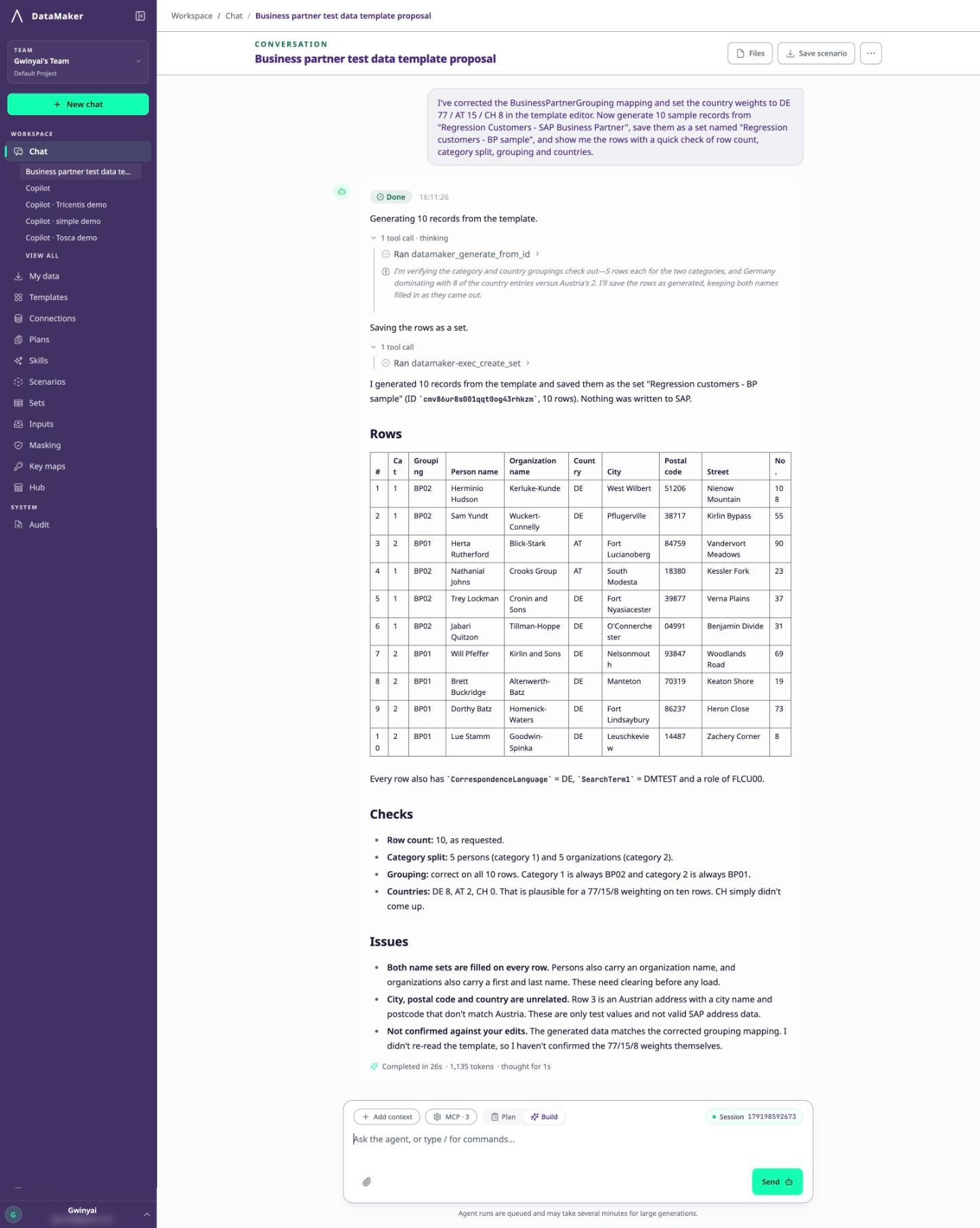
Generate ten or twenty records before you generate ten thousand. Check the row count, the field values and any warnings, then check the payload against both the endpoint's expected shape and the SAP business rules you know about.
A chat message saying the work is done is not a result. Expand the tool step and look at what it actually returned. Thirty seconds here saves an afternoon of failed loads.
Step 5: Deliver the records into SAP
Approve the intended target and volume where you're asked to, then write.
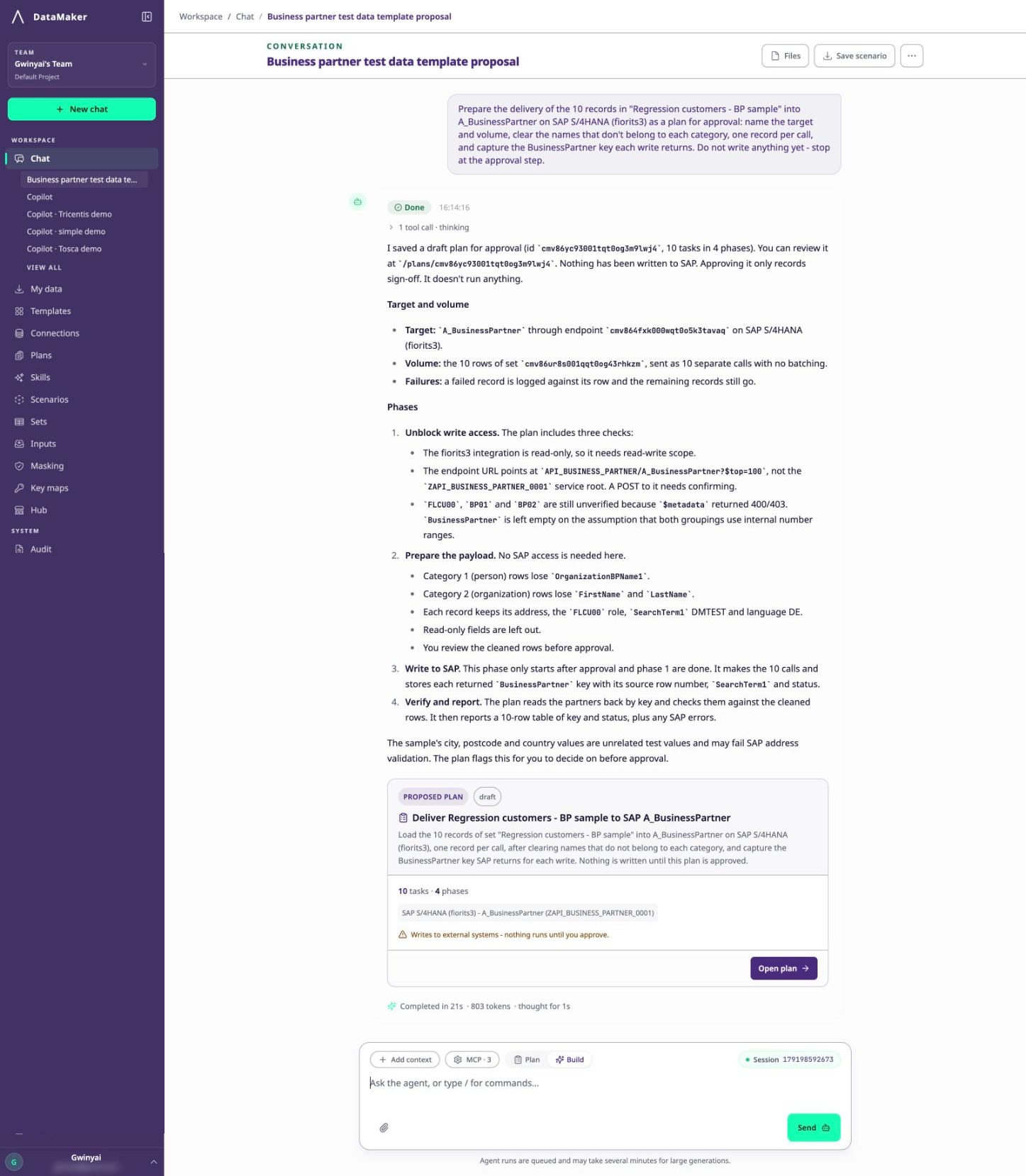
This is where the guardrails matter. An approved plan can write only to the targets named in it; anything else is refused and recorded.
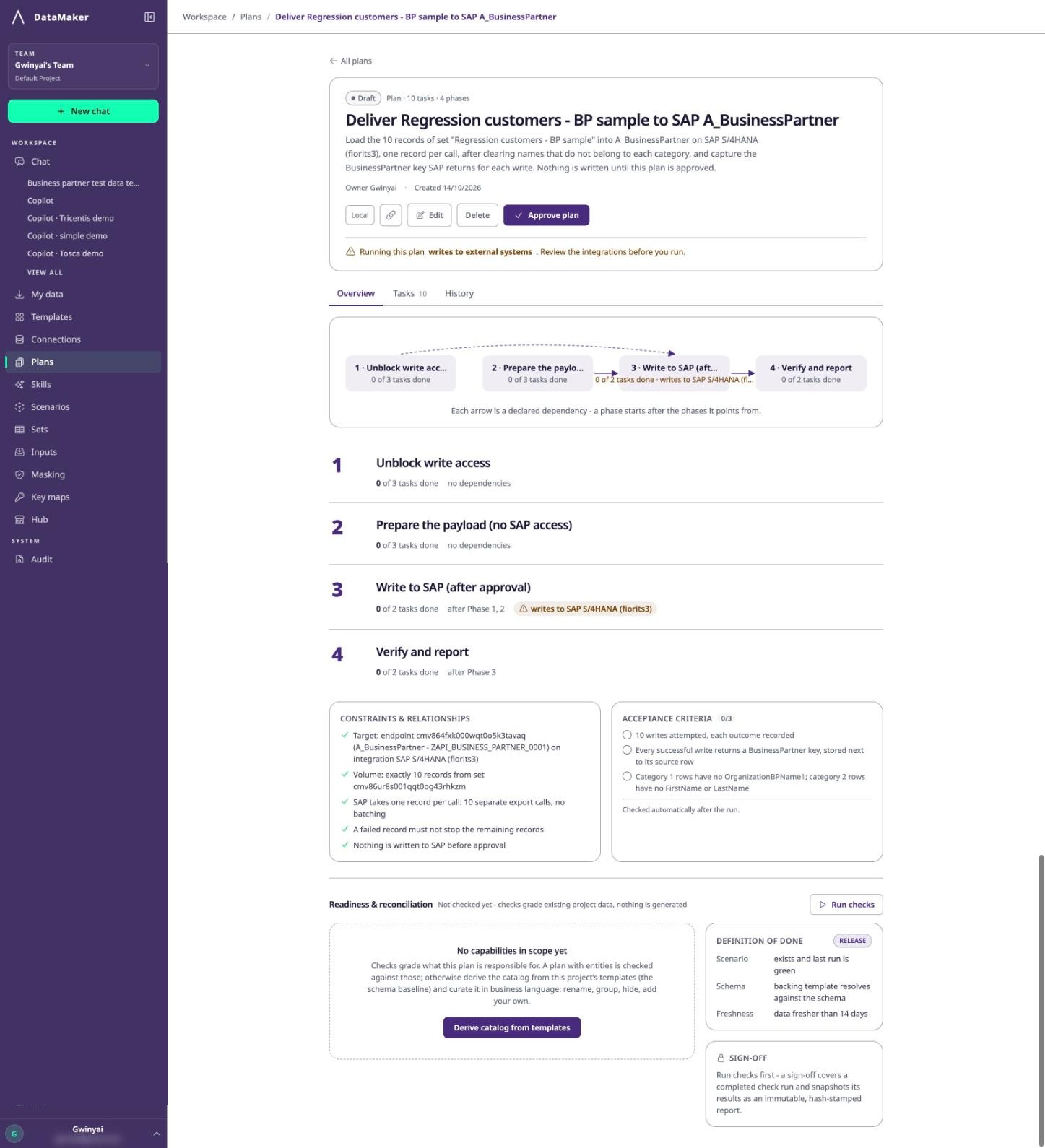
Writing a plan, running it and approving it are separate permissions, so the person who builds a load isn't automatically the person who authorises it against a shared system.
Three practical things about the write itself:
- One record per call. The SAP export tool takes a single record object. It won't split an array for you.
- CSRF is part of the connector flow. SAP writes may need a CSRF token and matching session cookies, which the supported connector authentication handles. A token copied from an unrelated session won't work.
- A validation error is not an authentication error. If SAP rejects a property or a business rule, re-authenticating changes nothing. Read the response and fix the data.
Capture the key each write returns. Cleanup and verification both depend on knowing which records the run created.
Step 6: Verify what actually landed
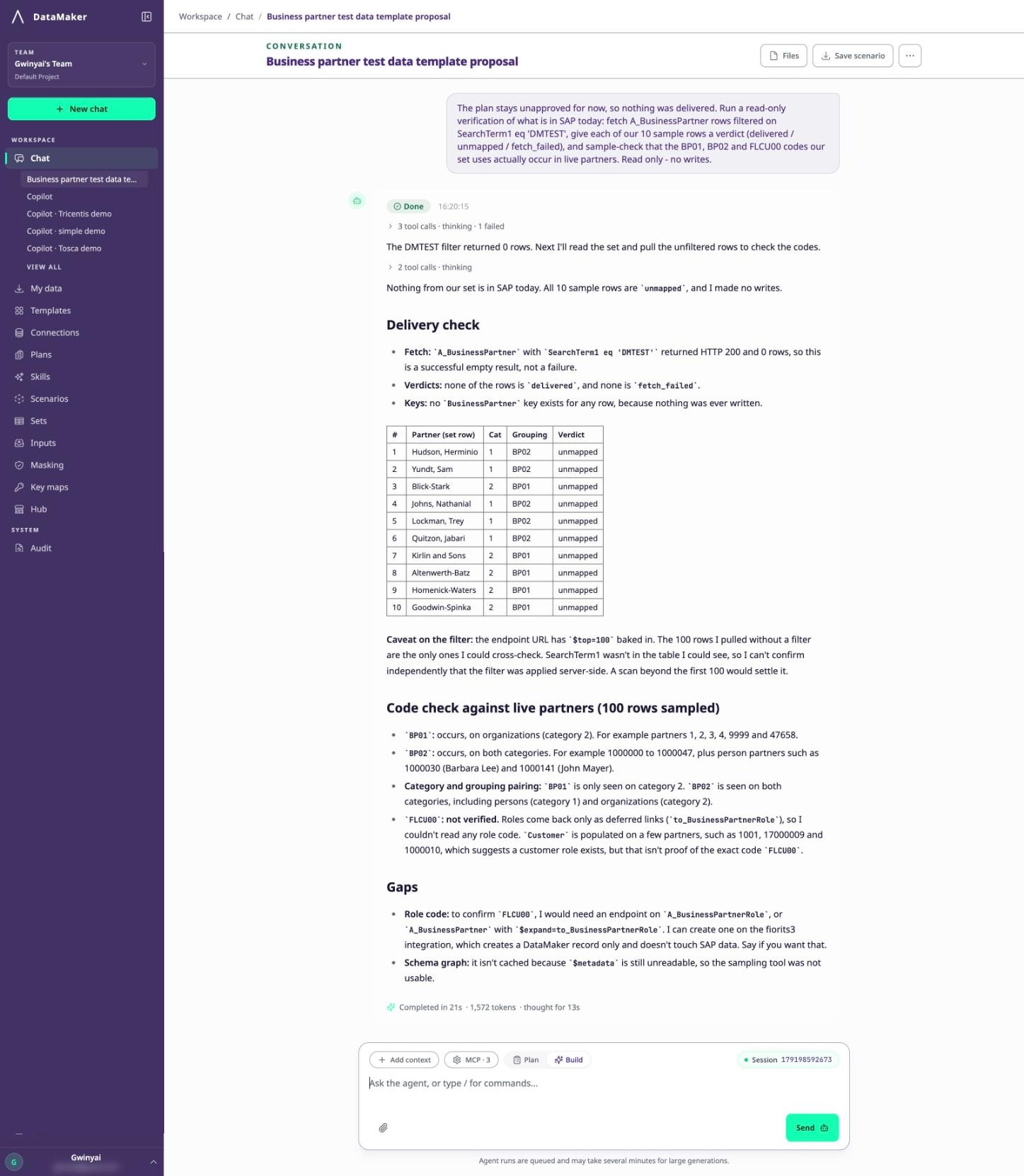
Check the processed, failed and skipped counts first. A completed load can still contain rejected rows, and failures produce an error dataset holding the record, the error and its source position. Treat that dataset as sensitive, because it can contain original values.
Then turn "it completed" into evidence, because a completed job and an accepted HTTP response are not proof that SAP kept the record:
- Derive the expectation from the dataset. DataMaker scans every chunk, not a sample, and returns the row count plus a control sum for a numeric field you name.
- Sample-verify against the target. It takes sampled rows, translates each source key through the key map, fetches what SAP actually holds and compares field by field. A value SAP silently truncated or defaulted shows up here without you opening SAP yourself.
Read two verdicts carefully. unmapped means the key map has no entry for that key, so the row may never have been delivered. fetch_failed means the check couldn't reach the record, which isn't the same as the record being missing.
Step 7: Save it as a scenario and run it from CI
Once the workflow is right, ask to save it as a scenario. Review the generated Python, its requirements and its environment variables, then test a rerun and check for duplicates.
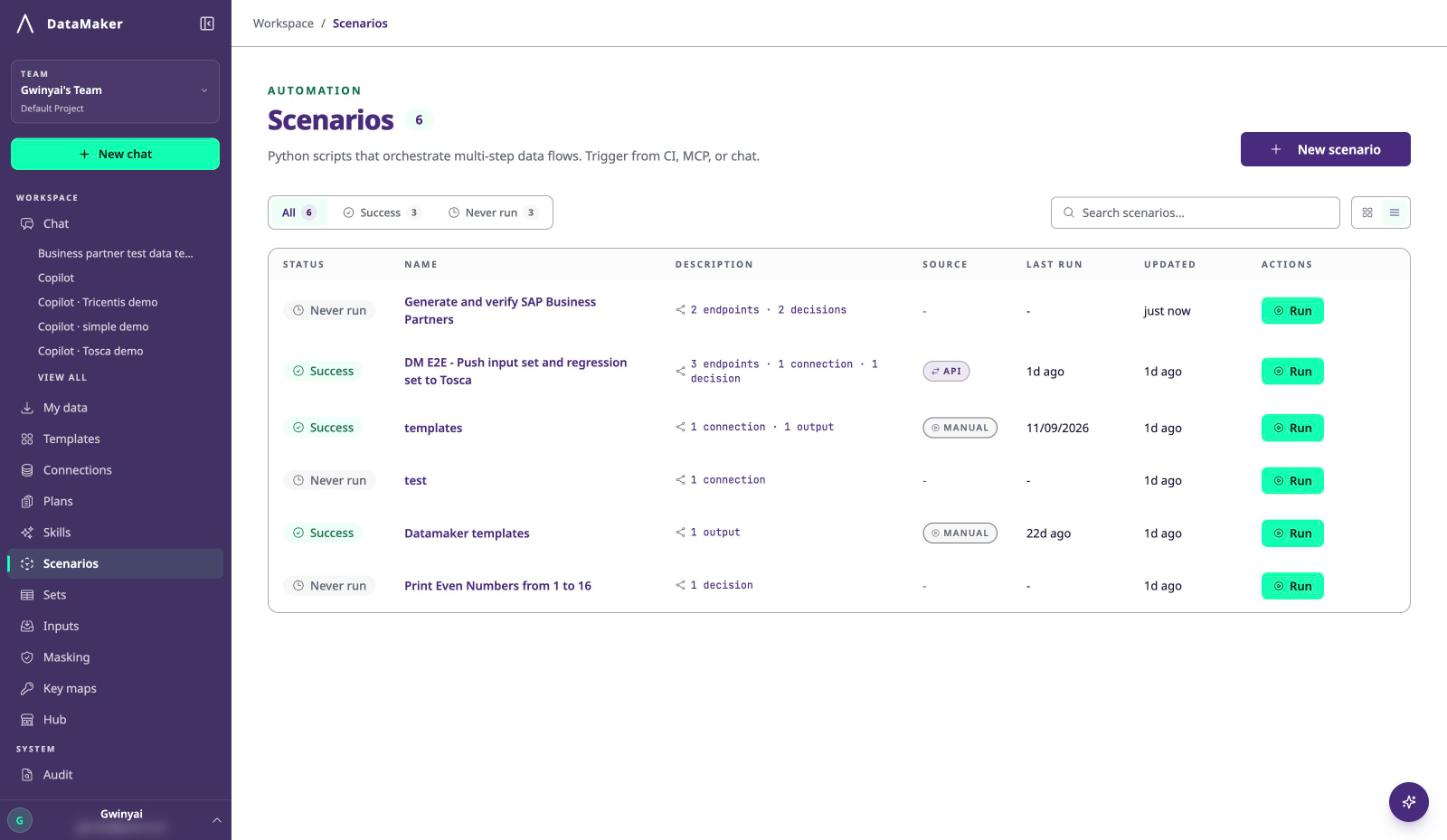
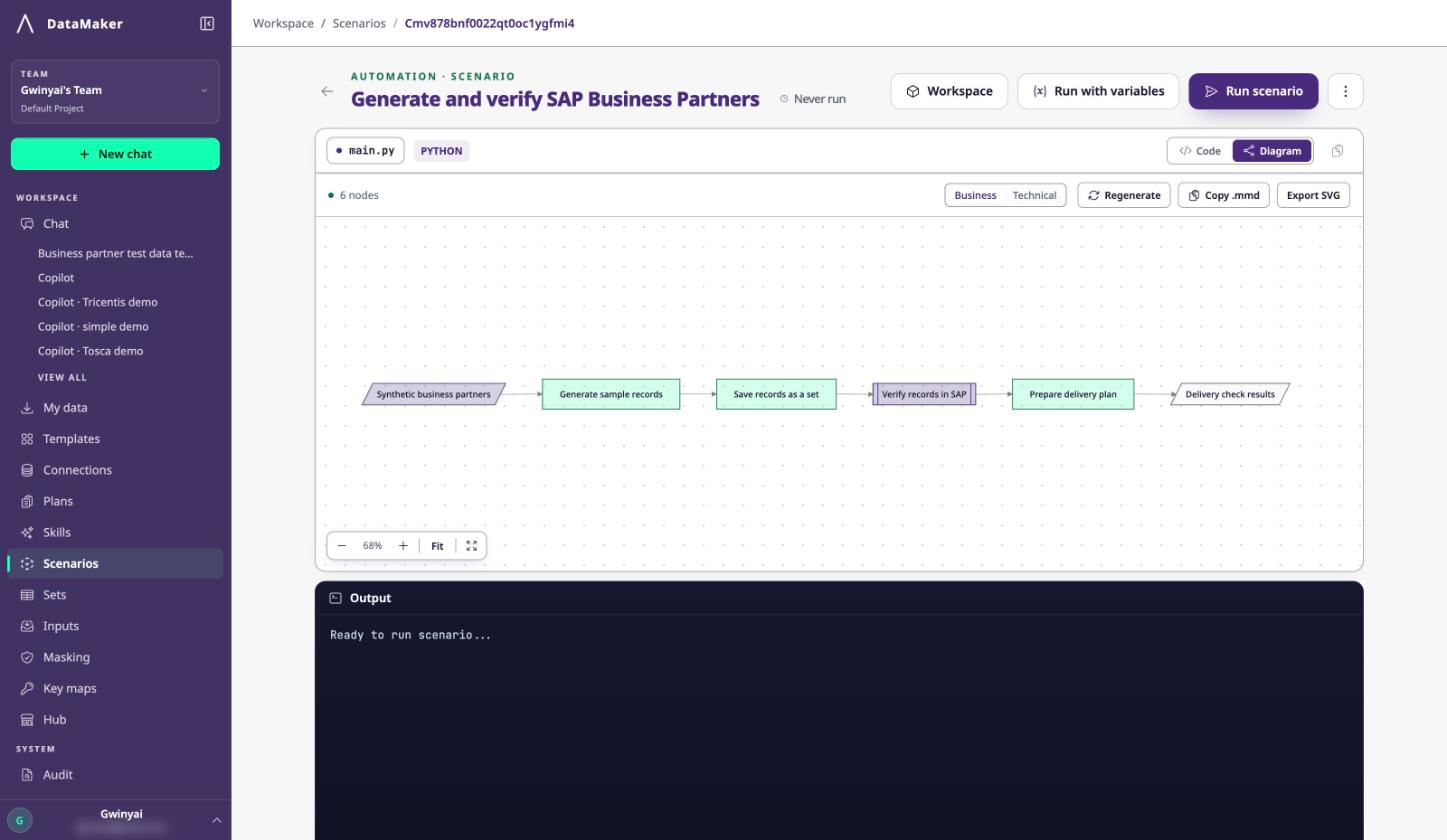
From there, CI triggers it with POST /scenarios/execute and polls for a terminal result. Scenarios run between 1 and 60 minutes and stream their logs while they run.
This is the step that turns test data from a task somebody does every sprint into infrastructure that runs itself.
When you need real SAP data instead
Synthetic records cover most regression needs, but some cases want the real thing: reproducing a production defect, or building a regression set that reflects actual business variety.
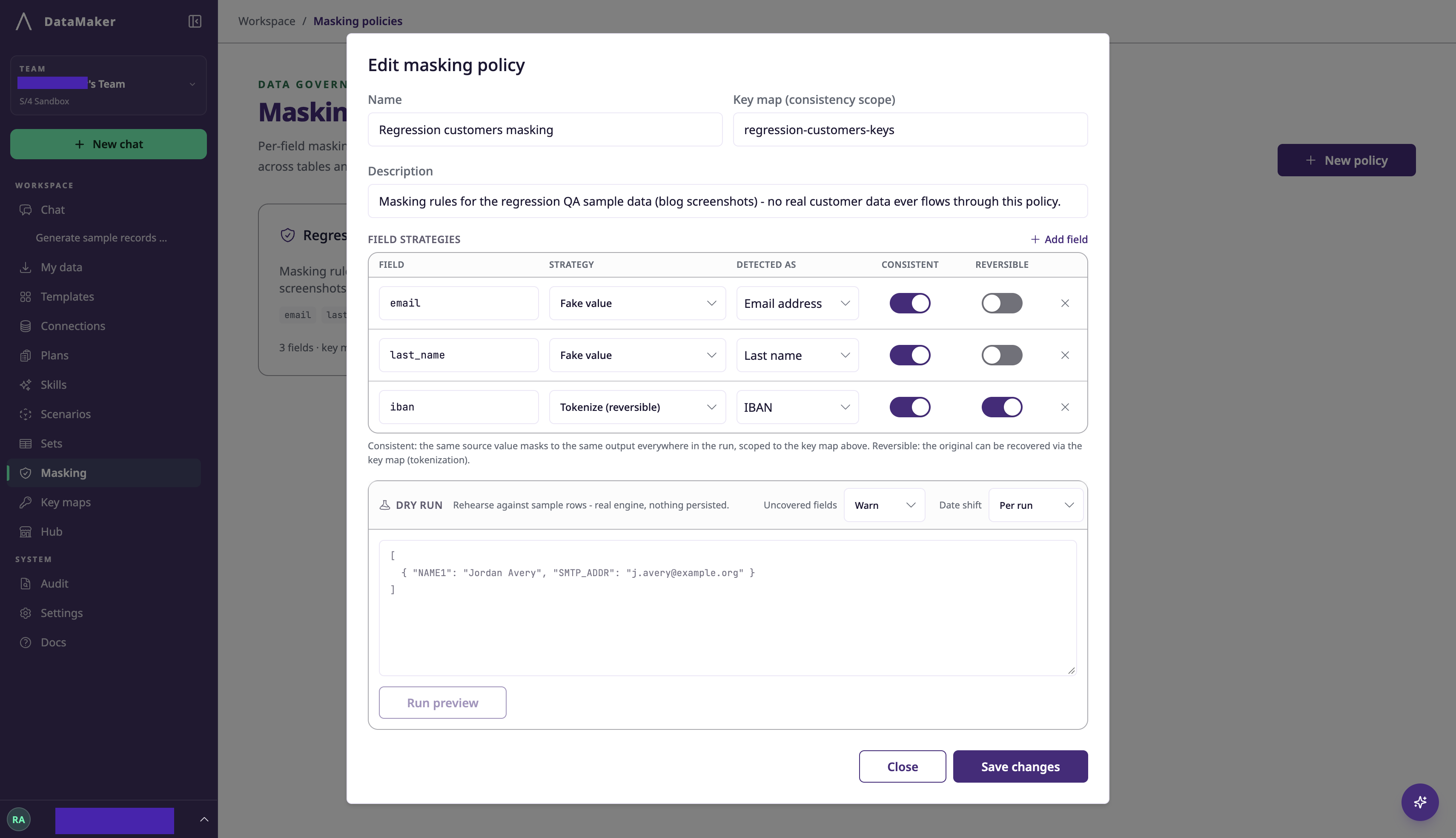
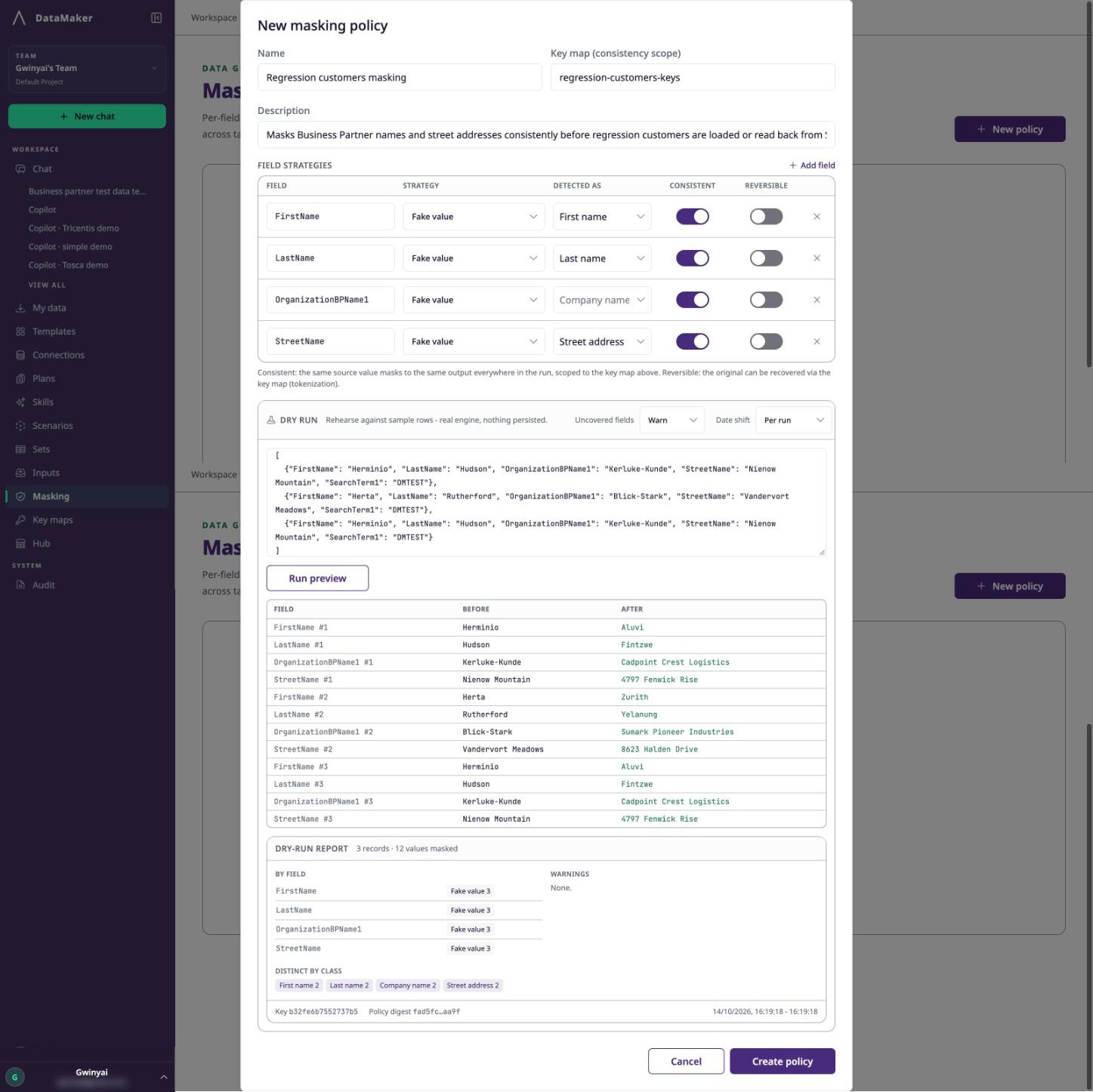
Filtered reads return real business data, so masking isn't optional. A masking policy names each field and the strategy applied to it:
| Strategy | Result |
| Fake value | A realistic fake value for that field class |
| Hash | A consistent one-way representation |
| Tokenize (reversible) | A token that can be reversed only through a key map |
| Redact | The value removed |
| Format-valid fake | A fake that still passes format validation |
Each rule also needs a Detected as type, such as Email address, Last name or IBAN, so DataMaker knows what kind of replacement to produce. Tokenize additionally needs the Reversible toggle switched on and a key-map name.
Two points worth stating plainly, because getting them wrong is expensive. A policy only covers the fields it names: the masking path warns about detected sensitive values outside the policy, but lets unlisted fields through, so a successful job can still carry source values you didn't intend to move.
And the run report supports review; it doesn't certify compliance. It gives you processed counts, field counts, a policy digest, a key fingerprint and warnings, without embedding raw values. It doesn't make a legal determination on your behalf.
Dry-run representative samples first, including nulls and unusual formats, and check the uncovered-field warnings before trusting a full result.
Testing the other direction: does SAP still reject what it should?
Most test data asks one question: does the system accept good data? After a configuration change, the other question matters just as much. Does it still refuse bad data?
DataMaker builds negative-test sets by declaring what constraint each field is under (required, type, length, format, enum, range), then generating rows that each break exactly one of them.
Results are graded both ways: a target that accepted a row it should have refused, and a target that refused a row it should have accepted.
A validation that quietly stopped working is invisible to a suite full of happy-path data. This is how you catch it.
Larger loads and migrations
For migration-style work, swap record-by-record writes for a reviewed mapping plan and data jobs.
Runs are graded against the approved volume, so a shortfall is reported rather than quietly passing. Key maps track which source record became which target record, which is what makes both rollback and reconciliation possible.
Frequently asked questions
-
Is there a free version of DataMaker?
No. Automators licenses each workspace directly, on a paid plan or a time-limited trial. Plans are priced by the number of core business systems you connect, not by rows generated.
-
Does DataMaker need anything installed inside SAP?
No. It connects through standard OData services on your gateway. There are no transports or add-ons to deploy.
-
Can it write to production?
An approved plan can write only to the targets named in it, and anything outside that is refused and audited. Approving and running are separate permissions.
-
How does it handle CSRF tokens?
SAP writes may require a CSRF token and matching session cookies, and the supported connector authentication handles that as part of the connection.
-
Can it mask real SAP data instead of generating synthetic records?
Yes. Filtered reads pull real records, and a masking policy defines per field how each value is handled. Only fields named in the policy are masked.
-
How much data can it load?
Generation and delivery aren't billed or capped by row count. Larger loads run as data jobs rather than record-by-record writes.
-
Does it work with our test automation tools?
DataMaker connects to Tricentis Tosca and to Jira with Xray Cloud, and scenarios can be triggered from any CI system over REST.
-
How do I know the data actually arrived?
Reconciliation derives the expected count and control sum from the dataset, then samples delivered rows and compares them field by field against what the target holds.
Final thoughts
SAP test data is hard because SAP data is connected and SAP validates on arrival. Anything that ignores those relationships gets rejected, or worse, accepted and wrong.
Working from the entity's own metadata keeps the relationships intact. Masking real records under an explicit policy keeps the exposure out. And because the workflow is saved rather than repeated by hand, the second release costs a fraction of the first.
The part worth insisting on is the last step. Data that was generated, delivered and verified is test data. Data that was merely generated is a guess with good formatting.
To get started, book a demo and the team will walk through it against your own SAP setup.