
SAP test automation looks reliable in theory. You build the scripts, stabilize the flows, and connect everything to your regression suite.
Yet in real projects, those same tests behave unpredictably. A scenario that passed on Monday fails on Wednesday even though the script and configuration stayed the same.
There are many reasons automation can break.
- A locator might be brittle.
- A dynamic screen may appear.
- A workflow rule changes only under certain conditions.
Even the best tools are not immune to UI or timing issues.
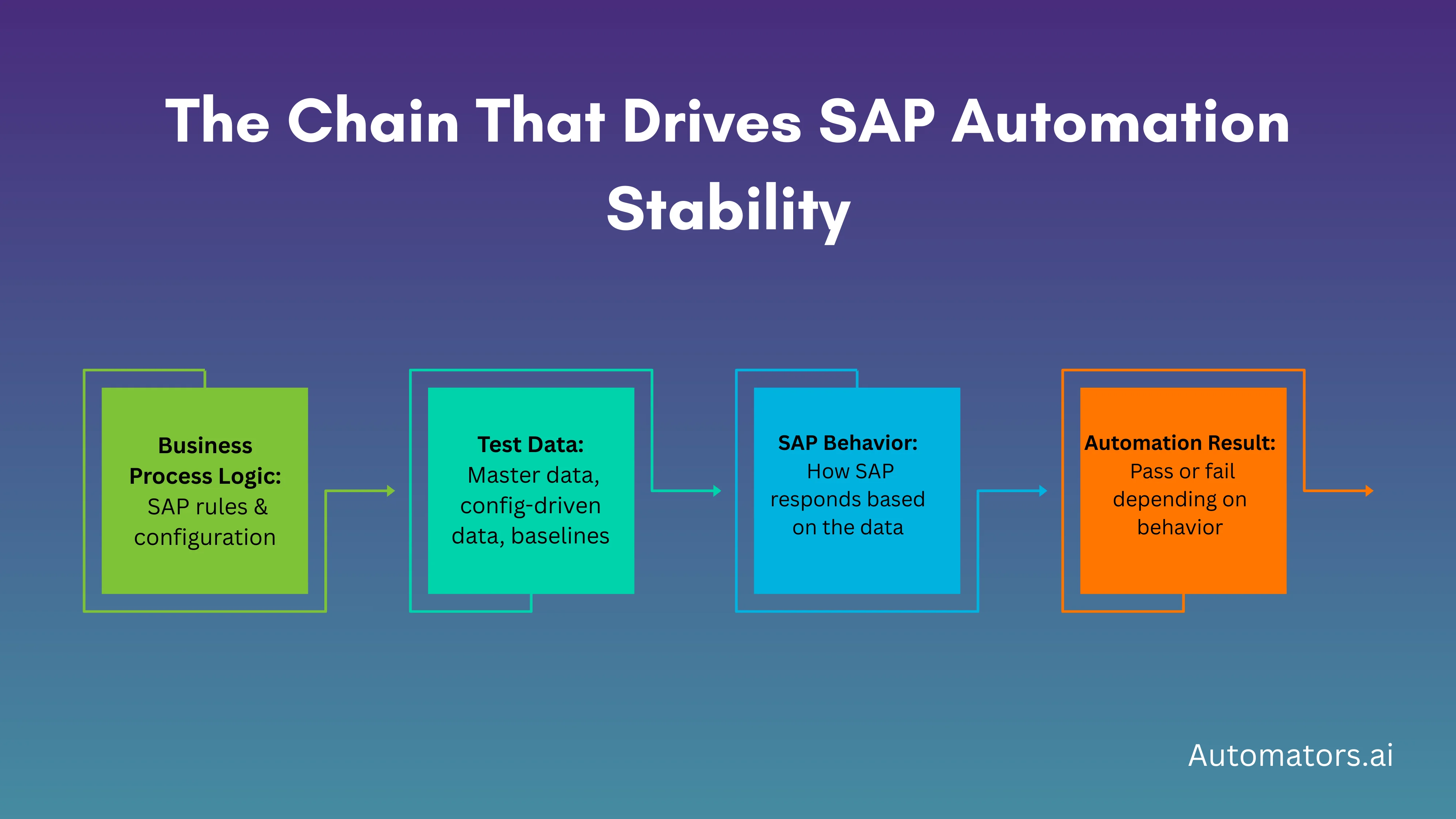
But one factor quietly disrupts SAP automation more often than teams expect: the underlying test data shifts without being noticed. Records get consumed, dependencies drift, and scenarios no longer match the data they rely on.
In this article, we’ll explore why test data plays such a critical role in SAP test automation, how it causes the frustrations teams face daily, and how you can create test data that keeps automation consistent across cycles and environments.
Why Test Data Plays Such a Critical Role in SAP Test Automation
1. SAP Is Completely Stateful
Every posting in SAP consumes, changes, or influences the data behind the next step. Stock gets reduced, credit gets used, balances shift, and workflow states progress. Automation depends on this underlying state. When the state changes unexpectedly, the script fails, even if the script itself is perfect.
2. Every Scenario Depends on a Long Chain of Data
Even simple flows like creating a sales order require several aligned components: the customer, material, pricing, tax rules, partner functions, and more. If one element falls out of sync, the scenario no longer behaves as expected. Most automation failures begin here.
3. SAP Processes Span Multiple Modules
Order-to-cash, procure-to-pay, record-to-report, none of these exist within a single module. A test might touch SD, MM, FI, Treasury, and EWM. If data in one module drifts, the entire automation flow collapses, even if the test steps look correct.
4. Test Data Is Shared and Consumed by Multiple Teams
In most SAP landscapes, testers, functional consultants, and automation engineers all operate on the same datasets. One user consumes stock, another closes a period, and someone else posts an invoice. Automation breaks because the baseline it expected no longer exists.
5. Configuration Changes Directly Affect Data Behavior
SAP configuration defines how data behaves. A pricing change, tolerance rule update, or workflow adjustment can instantly invalidate previously stable test data. Even tiny differences between DEV, QA, and UAT can disrupt automation if the data wasn’t aligned with each environment.
6. Environment Refreshes Reset All Baselines
Client copies and system refreshes wipe out document numbers, balances, workflow states, and master data versions. After a refresh, automation no longer recognizes the landscape it was built on. Without a way to rebuild valid data quickly, the entire suite becomes unreliable.
7. Automation Requires Repeatability, but SAP Data Isn’t Static
A regression test or CI/CD job must be repeatable. But SAP data naturally changes: credit expires, stock moves, dates lapse, and processes update. Without repeatable test data, automation becomes flaky and unpredictable, no matter how good the tool or script is.
However, the best way to understand why test data matters is to look at the kinds of situations SAP teams often run into when their data drifts, gets consumed, or no longer matches the scenario they are trying to automate.
Here are some examples that are not tied to any specific customer. They reflect the patterns that show up repeatedly across SAP projects, regardless of industry or tooling.
How Poor Test Data Typically Breaks SAP Automation
a. Order-to-Cash Scenarios Losing Alignment
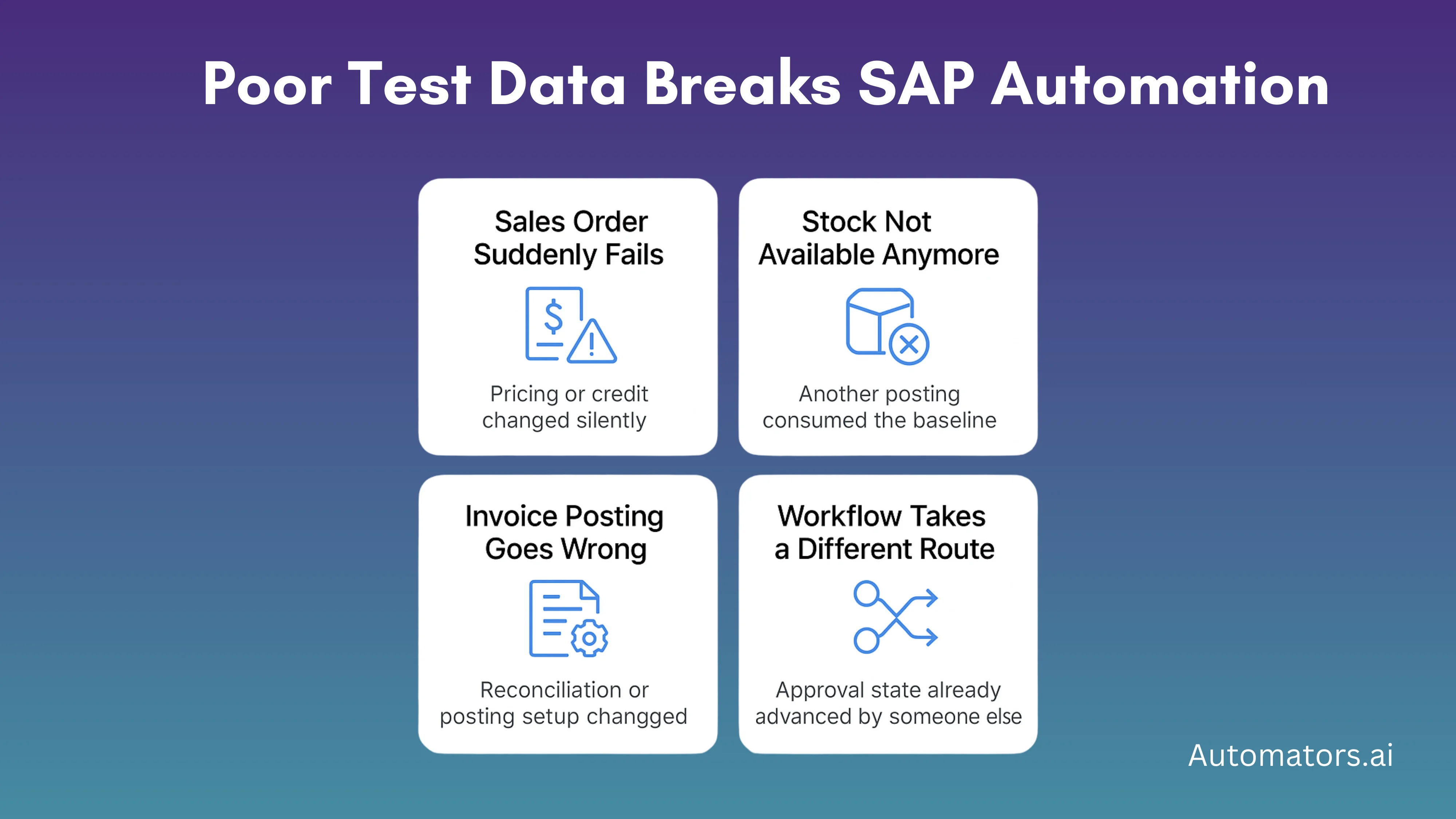
A sales order test that worked yesterday may suddenly fail because the customer’s credit exposure increased or a pricing condition expired overnight. The script didn’t change, but the data behind the process did, and SAP behaved differently because of it.
b. Inventory Tests Failing Due to Consumed Stock
Stock-based test cases become unstable when quantities are unknowingly consumed. A goods issue posted earlier in the day can leave an automated goods movement test with no available quantity, causing it to fail even though the underlying posting logic is still valid.
c. Invoice Flows Breaking from Master or Posting Changes
Vendor invoice scenarios can stop working when a reconciliation account changes or when period balances shift due to unrelated postings. What looks like an SAP error is usually the baseline data no longer matching the conditions the script assumed.
d. Workflow Routes Changing After Someone Else Triggered Them
Approval workflows often fail in automation because the expected state has already been consumed. If a previous tester triggered the workflow logic, the document may follow a different path, leaving the script waiting for a state that no longer exists.
These situations are not caused by scripting mistakes or tool limitations. They happen because SAP processes rely on data that evolves constantly. When automation assumes that yesterday’s conditions will hold today, even the most carefully built script becomes unreliable.
However, SAP teams rely on several different methods to prepare test data, and each one comes with its
own strengths and limitations. The challenge is that not all data creation techniques support automation equally well.
The table below summarizes the most common approaches and how they affect automation stability.
How Different Test Data Approaches Affect Automation

| Method | What It Is | Strengths | Limitations for Automation |
| Masked Production Data | Real production records with sensitive fields anonymized | Highly realistic; matches real business behavior | Not repeatable, easily consumed, reflects past activity instead of test needs |
| Subsetting | Extracting a smaller slice of production with related records | Smaller systems, faster refreshes, and preserves some relationships | Missing dependencies break scenarios; inconsistent results across cycles |
| Full Copies / System Refreshes | Copying the entire production client into a lower environment | Very realistic, complete data landscape | All baselines reset; scripts fail after each refresh; heavy maintenance burden |
| Manually Created Data | Testers or functional teams create records by hand | Good for quick fixes or one-off tests | Slow, inconsistent, hard to scale, impossible for CI/CD |
| Synthetic Test Data | Fresh, dependency-correct, fictional data generated on demand | Repeatable, clean, aligned to test cases, supports CI/CD | Quality depends on the generator; it requires an initial setup and rules |
These methods all serve a purpose, but they support automation at very different levels. Synthetic data stands out because it solves the biggest stability problem, repeatability, but it’s not the only technique teams use.
If you want a complete, step-by-step guide to generating realistic synthetic SAP test data, we have a dedicated article that explains it in detail.
→ How to Generate Synthetic SAP Test Data with DataMaker.
A Practical Path to Stable SAP Automation
Readers searching for this topic expect guidance they can apply immediately. They want to know how to stabilize their automation without redesigning everything from scratch.
A reliable workflow usually starts with identifying the exact data a scenario needs, not just the objects involved. From there, the data must be prepared and enriched with the right dependencies: pricing, posting rules, stock, partner functions, or tax settings.
Many teams skip this enrichment step, which is why their cases break unexpectedly.
The data also must align with the environment it is used in. If the configuration is different across systems, even perfect data becomes invalid. Consistency matters more than volume.
Once the right data exists, it should be made reusable. Reusability is what turns automation into a scalable asset. When a scenario can run multiple times without consuming or corrupting underlying data, CI/CD becomes possible.
Finally, data needs to be provisioned on demand. Manual preparation blocks DevOps entirely. Automation pipelines fail unless test data is available immediately when a script starts. Governing that data, tracking versions, ensuring alignment, and regenerating when needed, becomes a continuous practice.
When teams adopt these principles, automation stops being fragile and becomes predictable.
Final Thoughts
This is not a vendor pitch. It is a reality SAP teams learn the hard way. Automation tools do not fix unstable data. Scripts do not overcome inconsistent baselines. Even the best frameworks fail when the underlying data is incomplete, misaligned, or consumed.
High-quality test data is the foundation of stable SAP automation.
- It is what turns flaky tests into reliable ones.
- It is what enables regression packs to run continuously.
- It is what makes CI/CD possible in SAP landscapes.
- And it is what prevents teams from spending more time maintaining automation than benefiting from it.
SAP automation succeeds when the data behind it is correct, repeatable, aligned, and available. Everything else comes after that.