
In SAP environments, data masking has been used for more than a decade to make production data safe for QA and non-production systems. It solves an important problem. It protects sensitive customer, employee, vendor, and financial information from leaking into lower environments.
But when you look closely at how SAP teams test in 2026, especially with S/4HANA migrations, Fiori applications, automation, and CI/CD pipelines, masking starts to look incomplete.
Masked production data is still production data. It carries the same gaps, broken scenarios, stateful dependencies, and data quality issues that make SAP testing slow, unpredictable, and fragile.
This article explains what SAP data masking really does, how static and dynamic masking work, where they help, where they fail in testing, and why many teams now combine masking with or replace it entirely with synthetic test data.
What SAP Data Masking Actually Does
SAP data masking transforms sensitive production data into a safer version. It hides identities while keeping tables, formats, and relationships intact so transactions and business processes continue to run.
Masking tools typically use techniques such as substitution, shuffling, hashing, encryption, nulling, or truncation. These changes protect sensitive values but preserve the technical integrity of the dataset.
Examples inside SAP include changing customer names in KNA1, scrambling vendor bank details in LFBK, anonymizing employee information in PA0002, or obfuscating FI documents in BKPF and BSEG.
The goal is simple. Hide sensitive data. Keep SAP functioning. Avoid breaking dependent processes.
Now the important part. There are two fundamentally different approaches to masking in SAP.
Static Masking vs Dynamic Masking in SAP
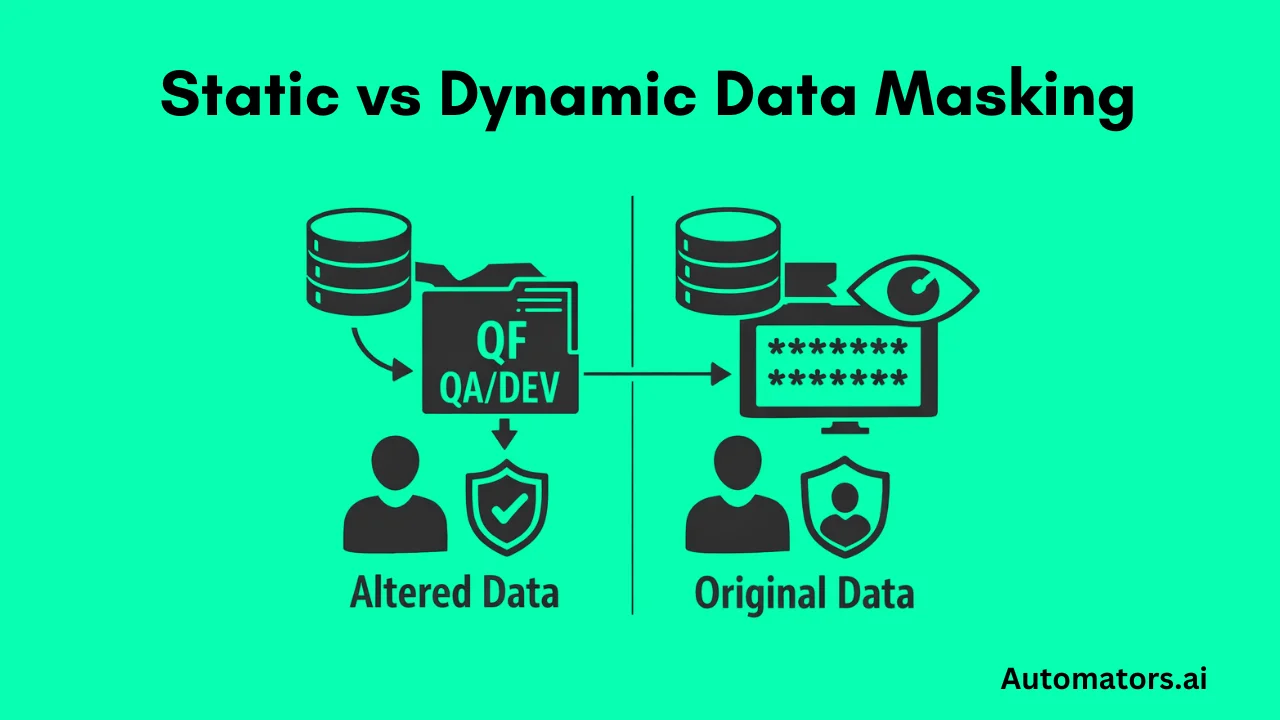
Static masking is a method where sensitive production data is permanently changed during a system copy or refresh. Once masking is applied, the data in QA or DEV contains only safe, altered values. This makes it good for compliance, but the dataset still inherits all production flaws, gaps, and stateful behavior.
Dynamic masking is a method where sensitive values are hidden only at runtime. The underlying database remains unchanged.
Users simply see masked values based on roles or masking rules in Fiori, SAP GUI, dashboards, or CDS views. It works well for role-based access control, but can be unpredictable for testing and automation.
Here is a comparison table to help you understand the difference.
| Criteria | Static Masking | Dynamic Masking |
| Definition | Sensitive production data is permanently altered during a system copy or refresh. | Sensitive values are hidden at runtime while the database stays unchanged. |
| Where it applies | QA, DEV, sandboxes, training systems after a refresh. | Fiori, SAP GUI, CDS views, dashboards, queries. |
| Data stored in database | Already masked. | Original values remain intact. |
| How values appear to testers | Always masked. | Depends on masking rules, roles, or context. |
| Stability for testing | Stable but carries production issues. | Unstable because visible values change by role or rule. |
| Impact on automation | Inconsistent due to inherited production state. | Often breaks selectors, validations, and workflow steps. |
| Main strength | Strong compliance coverage for lower environments. | Strong role-based access control without altering data. |
| Main limitation | Cannot generate new scenarios or reset state. | Does not improve data quality and complicates automation. |
In short: Dynamic masking protects visibility. Static masking protects stored data. Neither improves test data quality or creates the scenarios testers actually need.
Where Masking Works Well: Compliance and Access Control
Masking works extremely well for one goal: keeping sensitive information out of lower environments.
It helps organizations satisfy privacy requirements such as GDPR, CCPA, HIPAA, PCI-DSS, and various regional data protection laws. Because masked production data retains table structures, business logic, realistic volumes, and field formats, it feels familiar to users.
This makes masking useful for training systems, analytics sandboxes, reporting environments, business simulations, and low-risk UAT.
But beyond compliance and visibility control, masking does not accelerate testing or improve quality.
This is where challenges begin.
Where Data Masking Fails for SAP Testing
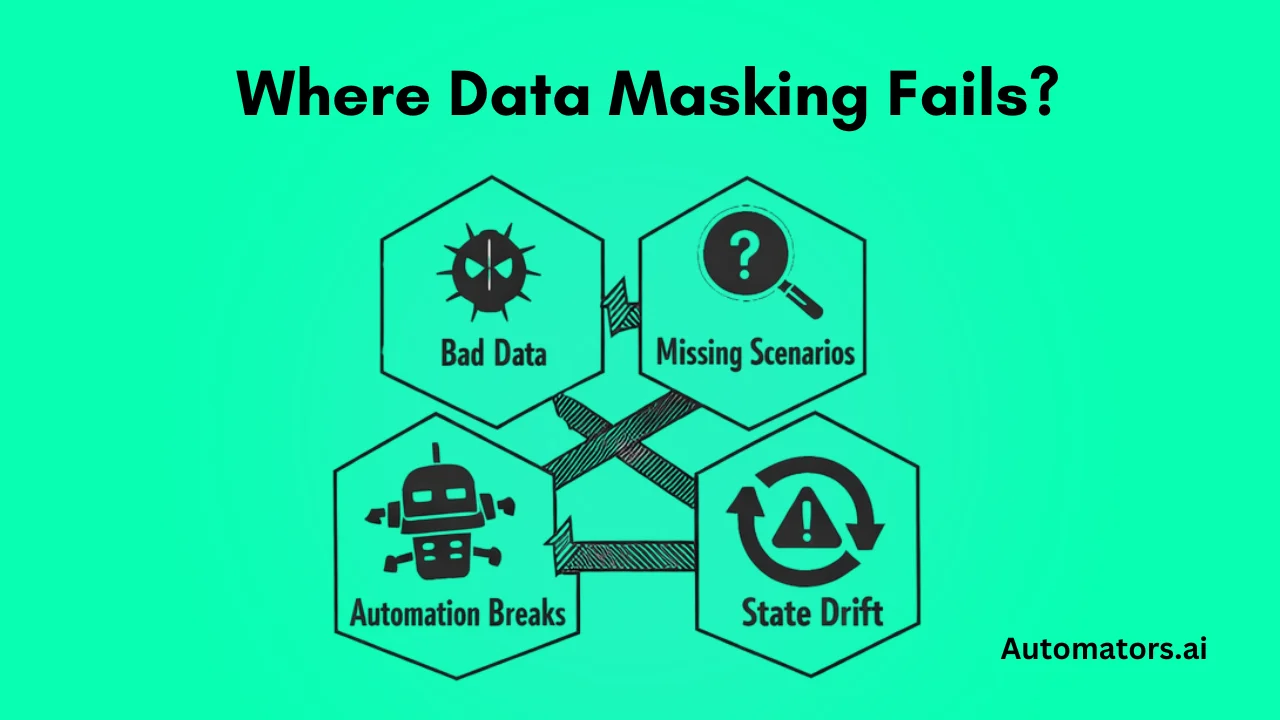
Masking protects privacy, not test coverage or test quality. Once masked production data becomes part of automation or regression cycles, several limitations show up immediately.
1. Masking Cannot Fix Bad Production Data
Masking hides sensitive fields but preserves the underlying structure exactly as it exists in production. If production data is inconsistent, flawed, or incomplete, the masked dataset inherits all those problems.
Examples include inconsistent customer masters, broken pricing conditions, incorrect partner functions, outdated materials, or missing master data.
If KONV is incorrect in production, the masked KONV is also incorrect.
What this means for testers: Poor-quality production data becomes poor-quality test data, even after masking.
2. Masking Cannot Create Missing Test Scenarios
Most SAP test cases require specific preconditions. These scenarios rarely exist in production, and masking cannot create them.
Examples include:
- a customer with no credit exposure
- a material with zero stock
- a vendor requiring approval
- an employee with a specific payroll scenario
- a PO blocked by workflow
- a sales order pending delivery
Masked data can only modify what already exists. It cannot invent what production never had.
What this means for testers: Critical test coverage remains impossible, especially for edge cases and negative scenarios.
3. SAP Data Is Stateful and Masked Data Breaks Quickly
SAP changes state every time you run a transaction.
Examples:
- VA01 creates orders
- MIGO consumes stock
- MIRO posts invoices
- PA30 updates employee records
- F110 clears open items
Masked data still behaves like production. Once a record is used, its state changes. This makes it unsuitable for:
- automation frameworks
- parallel test runs
- CI/CD pipelines
- long regression cycles
This is one of the biggest reasons masked production data collapses under test automation.
4. Dynamic Masking Breaks Automated Testing
Dynamic masking introduces problems unrelated to data quality. It changes what testers see based on rules, which makes automation unstable.
Common issues include:
- UI selectors fail when masked fields hide values
- data appears null, encrypted, or truncated
- validations break because masked fields no longer match expected patterns
- CDS masking hides values needed in workflow logic
- offshore roles see different values than onshore roles
A Fiori automation script may fail simply because a masking rule hides a customer name for one test user but not another.
What this means for automation: Dynamic behavior introduces unpredictable visibility changes that automation tools cannot reliably handle.
5. Masking Cannot Scale for Modern SAP QA
Testing in 2026 requires:
- repeatable test data
- controlled datasets
- predictable starting points
- ability to reset data on demand
- parallel test execution
- CI/CD pipeline compatibility
Masked production copies fail because:
- they degrade with each test run
- they cannot be regenerated instantly
- they cannot scale to multiple automation pipelines
- they have no concept of "fresh" or "resettable" data
Masking also introduces state drift. One tester updates a customer. Another tester runs a refund scenario. A third tester modifies material stock.
The dataset collapses. Automation collapses with it.
Where Synthetic Test Data Solves These Gaps
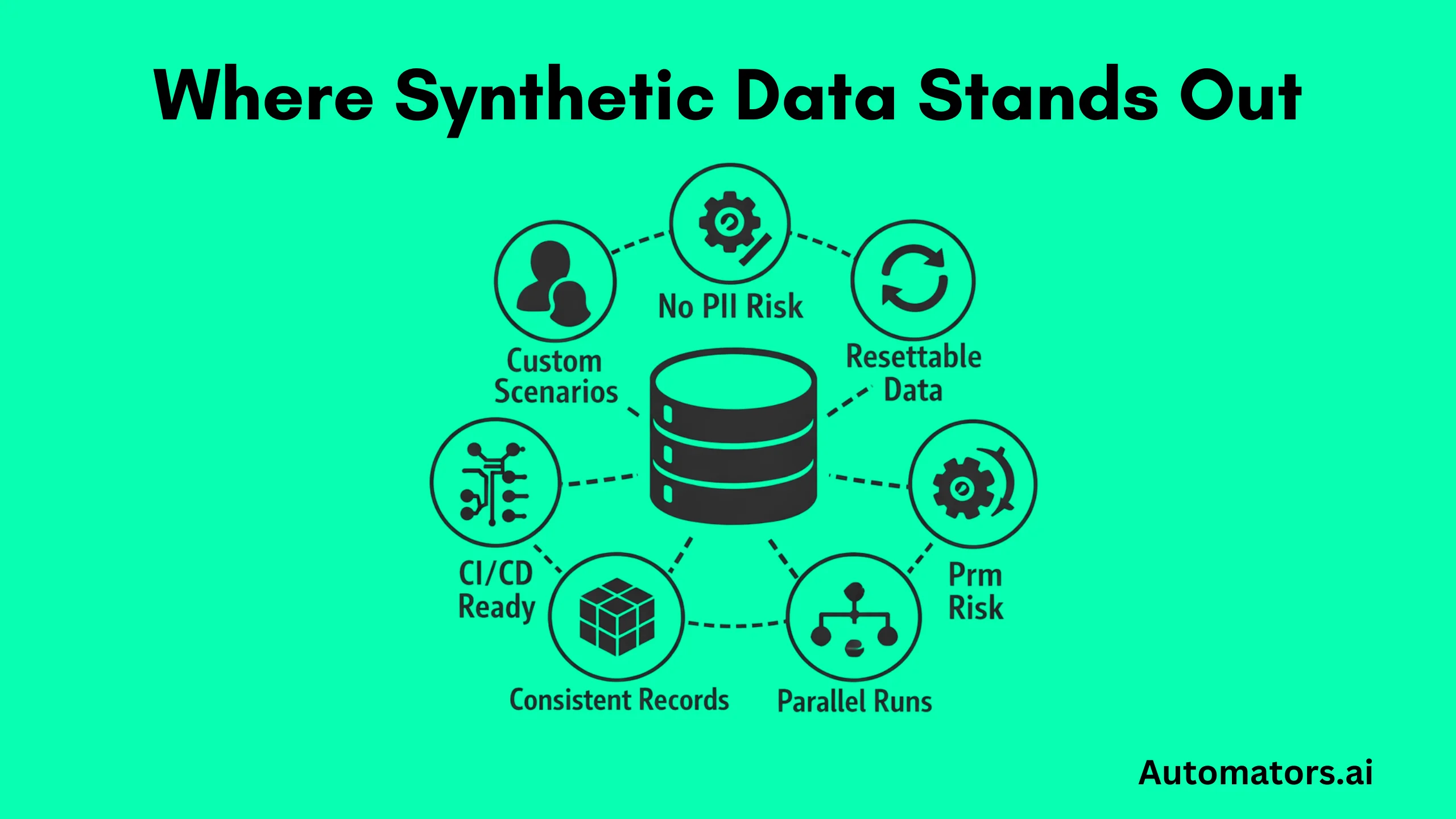
Synthetic data does not use production. It creates completely new SAP datasets that follow business rules but contain zero PII.
Unlike masking:
- it generates missing scenarios
- it resets data easily
- it supports infinite parallel runs
- it ensures true repeatability
- it works with CI/CD
- it does not inherit production flaws
Using a tool like DataMaker, teams can generate complete, dependency-correct entities such as customers, materials, vendors, pricing conditions, stock setups, or GL accounts.
All are configured cleanly. All are ready for testing.
Static masking scrambles what exists. Dynamic masking hides what exists. Synthetic data creates what you need.
This is why synthetic test data is becoming the baseline for S/4HANA migrations, automation frameworks, regression cycles, offshore teams, performance testing, and modern QA sandboxes.
If you want to see how SAP synthetic test data can actually be generated end-to-end, read our guide on creating SAP synthetic test data using DataMaker.
However, most SAP teams do not choose masking or synthetic data based on technology. They choose based on what the test environment must achieve. Masking protects data. Synthetic data supports testing.
Both have strengths. Both have limitations. The table below highlights the practical differences in a way SAP QA teams, Basis teams, and test leads can quickly understand.
Masking vs Synthetic Data: How to Decide
| Criteria | Static Masking | Dynamic Masking | Synthetic SAP Test Data |
| Primary Purpose | Protect PII in non-production systems | Hide sensitive fields at runtime | Create clean, controlled, dependency-correct test data |
| Source of Data | Derived from production | Derived from production | Completely artificial, not tied to production |
| PII Risk | Low after masking | Low, relies on role-based visibility | Zero, no production data used |
| Creates Missing Scenarios | No | No | Yes |
| Fixes Bad Production Data | No | No | Yes, by generating clean data aligned to config |
| Supports Automation | Limited, stateful and inconsistent | Weak, selectors and fields change dynamically | Strong, stable, repeatable, parallel-friendly |
| Suitable for CI/CD | Difficult to scale | Not suitable | Fully compatible, regenerates fresh data on demand |
| Data Repeatability | Low | Depends on roles and UI | High, deterministic and resettable |
| Handling Stateful SAP Data | Data degrades after tests | Data appears masked or null in UI | Fresh data can be recreated anytime |
| Cross-Module Consistency | Matches production, including flaws | Matches production, including flaws | Built with dependency-correct generation |
| Setup Time | High during system copies | Medium, requires UI rules | Low with a generator like DataMaker |
| Cost Over Time | High because masking must repeat after every refresh | Medium | Lower because scenarios are reusable |
| Best Use Cases | Compliance, training, analytics | Role-based access control | Automation, regression, CI/CD, migration testing |
When to Choose Each Approach
Use Masking When:
- compliance is the top priority
- testers only need production-like patterns
- non-production users should never see real identities
- you run training or demo environments
Use Synthetic Data When:
- you run SAP automation
- you need repeatable scenarios every sprint
- data must be fresh, stable, and predictable
- production data is incomplete or flawed
- CI/CD and parallel testing are required
Use Both When:
- masked production provides realistic volumes
- synthetic data fills the scenario gaps
- your automation suite depends on stable preconditions
Most SAP QA organizations gradually move into this hybrid model: compliance coverage from masking, testing reliability from synthetic data.
Final Thoughts
SAP data masking, both static and dynamic, is excellent for privacy and compliance. It protects sensitive fields and controls visibility. But because it inherits production’s flaws and cannot generate controlled scenarios, it often becomes unreliable for SAP testing, automation, and CI/CD.
Synthetic data fills these gaps. It gives testers the flexibility to create repeatable, scalable, dependency-correct datasets without exposing PII and without the instability of production data.
If your goal is compliance, masking works. If your goal is reliable testing, synthetic data wins. If your goal is long-term efficiency, a hybrid approach is the future.